
 資料結構
資料結構 網路
網路 關係型資料庫管理系統
 作業系統
作業系統 Java
Java MS Excel
 iOS
iOS HTML
HTML CSS
CSS Android
 Python
 C 程式設計
 C++
C++ C#
C# MongoDB
 MySQL
MySQL Javascript
 PHP
PHP 物理學
物理學 化學
化學 生物學
生物學 數學
數學 英語
英語 經濟學
經濟學 心理學
心理學 社會學
社會學 時尚研究
時尚研究 法律研究
法律研究React.js 中的渲染元素
React 應用程式中最小型的構建塊是元素。元素示例如下 -
const message = <h1>Welcome, Steve</h1>;
React DOM 使用轉換後的 react 元素更新實際 DOM。React 元件由元素組成。
在 DOM 中渲染元素
主 html 檔案中將有一個父 div 元素。此 div 可稱為 root。
<div id=”app”> </div>
如果需要,ReactDOM 可管理應用程式 div 中的所有內容。可以在應用程式中新增多個此類隔離 div。
要渲染元素,它將傳給 ReactDOM 渲染方法 -
const message = <h1>Welcome, Steve</h1>;
ReactDOM.render(message, document.getElementById('app'));
這將在瀏覽器上顯示訊息 - 歡迎,Steve
React 元素是不可變的,這意味著它一旦建立就無法更改。更改將建立一個新元素並更新 UI。
顯示當前時間
示例
import React from 'react';
import ReactDOM from 'react-dom';
import './index.css';
import App from './App';
import * as serviceWorker from './serviceWorker';
function getCurrentTime() {
   const currentTime = (
      <div>
         <h1>Welcome !</h1>
         <h2>It is {new Date().toLocaleTimeString()}.</h2>
      </div>
   );
   ReactDOM.render(currentTime, document.getElementById('root'));
}
setInterval(getCurrentTime, 1000);
// If you want your app to work offline and load faster, you can change
// unregister() to register() below. Note this comes with some pitfalls.
// Learn more about service workers: https://bit.ly/CRA-PWA
serviceWorker.unregister();
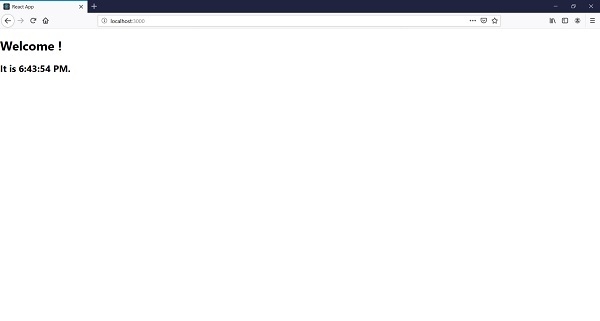
輸出

更新時間: 2019-08-28
665 次觀看

廣告