
 資料結構
資料結構 網路
網路 關係資料庫管理系統
 作業系統
作業系統 Java
Java MS Excel
 iOS
iOS HTML
HTML CSS
CSS Android
 Python
 C 程式設計
 C++
C++ C#
C# MongoDB
 MySQL
MySQL Javascript
 PHP
PHP 物理學
物理學 化學
化學 生物學
生物學 數學
數學 英語
英語 經濟學
經濟學 心理學
心理學 社會研究
社會研究 時尚研究
時尚研究 法律研究
法律研究JavaScript 中的條件語句
JavaScript 中有三種類型的條件語句 -
- If 語句 - if 語句用於僅在滿足特定條件時執行 if 塊內的程式碼。
- If else 語句 - If...Else 語句用於僅檢查兩個條件,併為每個條件執行不同的程式碼。
- If else if else 語句 - If...else if...else 語句常用於檢查兩個以上的條件。
以下是 JavaScript 中實現條件語句的程式碼 -
示例
<!DOCTYPE html>
<html lang="en">
<head>
<meta charset="UTF-8" />
<meta name="viewport" content="width=device-width, initial-scale=1.0" />
<title>Document</title>
<style>
   body {
      font-family: "Segoe UI", Tahoma, Geneva, Verdana, sans-serif;
   }
   .result {
      font-size: 20px;
      font-weight: 500;
      color: blueviolet;
   }
</style>
</head>
<body>
<h1>Conditional statements in JavaScript</h1>
<input type="text" class="numInput" />
<button class="Btn">CHECK</button><br />
<div class="result"></div>
<h3>Click on the above button to see if the above number is divisible by 2,3 or both</h3>
<script>
   let resEle = document.querySelector(".result");
   let BtnEle = document.querySelector(".Btn");
   let numInputEle = document.querySelector(".numInput");
   BtnEle.addEventListener("click", () => {
      if (numInputEle.value % 2 === 0 && numInputEle.value % 3 === 0) {
         resEle.innerHTML = "The numbers is divisible by 2 and 3 both";
      } else if (numInputEle.value % 3 === 0) {
         resEle.innerHTML = "The number is divisbly by 3";
      } else if (numInputEle.value % 2 === 0) {
         resEle.innerHTML = "The numbers is divisible by 2";
      } else {
         resEle.innerHTML = "The numbers isn't divisible by 2 or 3";
      }
   });
</script>
</body>
</html>
輸出
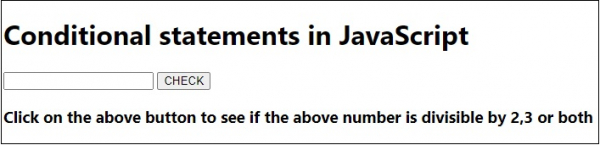
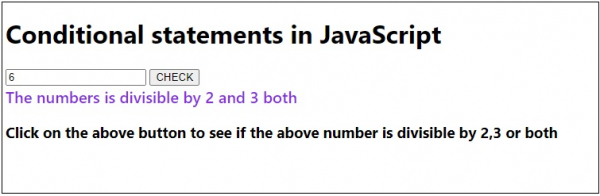
在輸入一個數字並點選“檢查”按鈕時 -

更新時間: 20-Jul-2020
1 千度瀏覽

廣告