
 資料結構
資料結構 網路
網路 關係型資料庫管理系統
 作業系統
作業系統 Java
Java MS Excel
 iOS
iOS HTML
HTML CSS
CSS Android
 Python
 C 程式設計
 C++
C++ C#
C# MongoDB
 MySQL
MySQL Javascript
 PHP
PHP 物理學
物理學 化學
化學 生物學
生物學 數學
數學 英語
英語 經濟學
經濟學 心理學
心理學 社會學
社會學 時尚研究
時尚研究 法律研究
法律研究一個簡單的使用 Tkinter 和 Newsapi 的新聞應用
Tkinter 是一個 Python 庫,用於為 Windows 和基於 UNIX 的作業系統建立桌面應用程式。Tkinter 提供了許多選項來為應用程式建立視窗部件。使用 Tkinter 可以透過不同的方式建立相同的視窗部件。
如今,網際網路上提供了大量的資訊來源。新聞不斷地從全球來源到本地來源湧現。跟蹤最新的新聞是一項艱鉅的任務。在本文中,我們將使用 Tkinter 和 Newsapi 建立一個簡單的新聞應用程式。
什麼是 Newsapi?
News API 是一個 (應用程式程式設計介面),透過 JSON 網路 API 提供對全球新聞文章和突發新聞的訪問。News API 簡單地提供了一個 REST API,開發人員可以使用它輕鬆地以 JSON 格式獲取所有新聞文章、標題等。
如何建立你的 API 金鑰
要使用 News API,您需要透過訪問 News API 網站 建立您的 API 金鑰。
點選右上角的 GetApiKey 按鈕。
在出現的表單中填寫您的基本資訊。
提交您的基本資訊後,您的註冊將完成,並且您將獲得您的 API 金鑰。
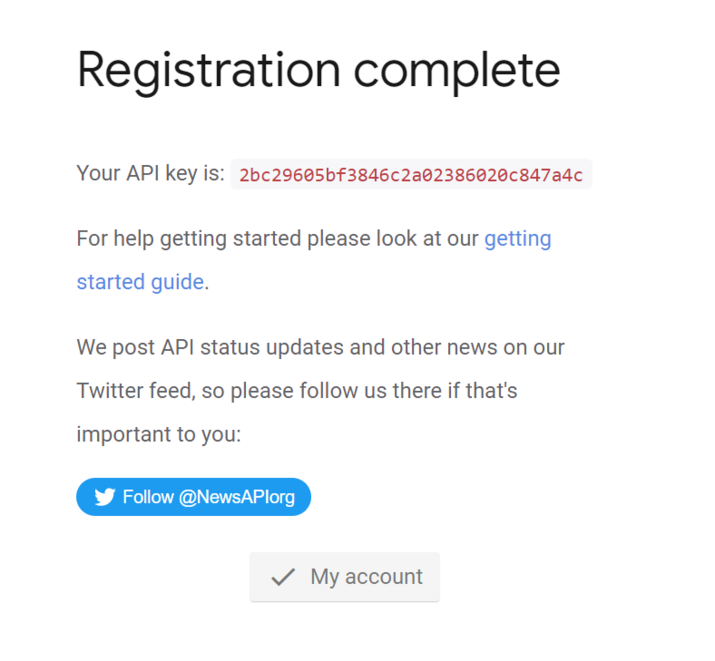
使用 Tkinter 和 Newsapi 建立 Web 應用的步驟
步驟 1 - 安裝 Tkinter 和 News Api
在開始實現 Web 應用之前,您需要在 Python 中安裝 Tkinter 庫和 news API。開啟命令提示符或終端,並鍵入 pip install 命令。
pip install tk
pip install newsapi-python
Pip 是一個 Python 包管理器。以上命令將 tkinter 和 newsapi 安裝到您的本地檔案系統中。
步驟 2 - 匯入所需的模組
匯入 tkinter 和 newsapi 模組以便在建立簡單的新聞應用程式時使用它們。
import tkinter as tk
from newsapi import NewsApiClient
步驟 3 - 建立 News API 客戶端物件
安裝完所有庫後,建立一個 NewsAPI 客戶端物件,並使用您從 News API 網站建立的 API 金鑰對其進行初始化。
newsapi = NewsApiClient(api_key='your_api_key_here')
將 your_api_key_here 替換為您從 NEWS API 網站建立的 API。
步驟 4 - 建立一個獲取最新新聞文章的函式
我們將建立一個函式 get_news(),它將檢索最新的新聞標題,並在我們的應用程式中以文字視窗部件的形式顯示它們。此外,在檢索新的新聞文章標題之前,我們需要清除螢幕。
def get_news():
   # Retrieve the top headlines
   top_headlines = newsapi.get_top_headlines(language='en')

   # Clear the text widget
   text.delete(1.0, tk.END)

   # Display the top headlines
   for article in top_headlines['articles']:
      text.insert(tk.END, article['title'] + '\n\n')
步驟 5 - 建立一個簡單的使用者介面
現在,我們將為我們的應用程式建立一個簡單的使用者介面,並在應用程式中以文字視窗部件的形式顯示新聞標題。應用程式底部的按鈕顯示“獲取新聞”,它將從新聞 API 中檢索新聞標題並在應用程式螢幕上顯示它們。
# Create the main window
root = tk.Tk()
root.title('News App')

# Create the text widget
text = tk.Text(root, height=20, width=50)
text.pack()

# Create the button
button = tk.Button(root, text='Get News', command=get_news)
button.pack()

# Run the main loop
root.mainloop()
下面可以找到簡單 Web 應用的完整程式碼 -
示例
import tkinter as tk
from newsapi import NewsApiClient
newsapi = NewsApiClient(api_key='your_api_key_here')
def get_news():
   # Retrieve the top headlines
   top_headlines = newsapi.get_top_headlines(language='en')

   # Clear the text widget
   text.delete(1.0, tk.END)

   # Display the top headlines
   for article in top_headlines['articles']:
      text.insert(tk.END, article['title'] + '\n\n')
# Create the main window
root = tk.Tk()
root.title('News App')

# Create the text widget
text = tk.Text(root, height=20, width=50)
text.pack()

# Create the button
button = tk.Button(root, text='Get News', command=get_news)
button.pack()

# Run the main loop
root.mainloop()
輸出

結論
在本文中,我們瞭解瞭如何在 Python 中使用 Tkinter 和新聞 API 建立一個簡單的 Web 應用。我們簡單地呼叫了新聞 API 提供的 REST API,並在使用者友好的介面中的一個簡單的文字視窗部件中顯示了新聞標題。該應用程式可以擴充套件以包含更多功能,例如按主題或來源過濾新聞,改進 UI,以及新增其他內容以使應用程式對使用者更具互動性。

645 次瀏覽
