
- Python Falcon 教程
- Python Falcon - 首頁
- Python Falcon - 簡介
- Python Falcon - 環境搭建
- Python Falcon - WSGI vs ASGI
- Python Falcon - Hello World (WSGI)
- Python Falcon - Waitress
- Python Falcon - ASGI
- Python Falcon - Uvicorn
- Python Falcon - API 測試工具
- 請求 & 響應
- Python Falcon - 資源類
- Python Falcon - 應用類
- Python Falcon - 路由
- Falcon - 字尾響應器
- Python Falcon - Inspect 模組
- Python Falcon - Jinja2 模板
- Python Falcon - Cookie
- Python Falcon - 狀態碼
- Python Falcon - 錯誤處理
- Python Falcon - Hook
- Python Falcon - 中介軟體
- Python Falcon - CORS
- Python Falcon - WebSocket
- Python Falcon - SQLAlchemy 模型
- Python Falcon - 測試
- Python Falcon - 部署
- Python Falcon 有用資源
- Python Falcon - 快速指南
- Python Falcon - 有用資源
- Python Falcon - 討論
Python Falcon - Hello World (WSGI)
要建立一個簡單的 Hello World Falcon 應用,首先匯入庫並宣告一個 App 物件例項。
import falcon
app = falcon.App()
Falcon 遵循 REST 架構風格。宣告一個資源類,其中包含一個或多個表示標準 HTTP 動詞的方法。下面的 HelloResource 類包含 on_get() 方法,該方法在伺服器接收到 GET 請求時被呼叫。該方法返回 Hello World 響應。
class HelloResource:
   def on_get(self, req, resp):
   """Handles GET requests"""
   resp.status = falcon.HTTP_200
   resp.content_type = falcon.MEDIA_TEXT
   resp.text = (
      'Hello World'
   )
要呼叫此方法,我們需要將其註冊到路由或 URL。Falcon 應用物件透過 add_rule 方法將處理程式方法分配給相應的 URL 來處理傳入的請求。
hello = HelloResource()
app.add_route('/hello', hello)
Falcon 應用物件只是一個 WSGI 應用。我們可以使用 Python 標準庫中 wsgiref 模組中的內建 WSGI 伺服器。
from wsgiref.simple_server import make_server

if __name__ == '__main__':
   with make_server('', 8000, app) as httpd:
   print('Serving on port 8000...')
# Serve until process is killed
httpd.serve_forever()
示例
讓我們將所有這些程式碼片段放在 hellofalcon.py 中
from wsgiref.simple_server import make_server

import falcon

app = falcon.App()

class HelloResource:
   def on_get(self, req, resp):
      """Handles GET requests"""
      resp.status = falcon.HTTP_200
      resp.content_type = falcon.MEDIA_TEXT
      resp.text = (
         'Hello World'
      )
hello = HelloResource()

app.add_route('/hello', hello)

if __name__ == '__main__':
   with make_server('', 8000, app) as httpd:
   print('Serving on port 8000...')
# Serve until process is killed
httpd.serve_forever()
從命令提示符執行此程式碼。
(falconenv) E:\falconenv>python hellofalcon.py
Serving on port 8000...
輸出
在另一個終端中,執行 Curl 命令如下:
C:\Users\user>curl localhost:8000/hello
Hello World
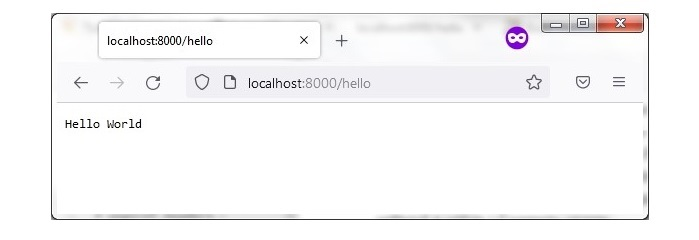
您也可以開啟瀏覽器視窗並輸入上述 URL 以獲得“Hello World”響應。
廣告