
 資料結構
資料結構 網路
網路 RDBMS
RDBMS 作業系統
作業系統 Java
Java MS Excel
 iOS
iOS HTML
HTML CSS
CSS Android
 Python
 C 程式設計
 C++
C++ C#
C# MongoDB
 MySQL
MySQL Javascript
 PHP
PHP 物理學
物理學 化學
化學 生物學
生物學 數學
數學 英語
英語 經濟學
經濟學 心理學
心理學 社會學
社會學 時尚研究
時尚研究 法律研究
法律研究HTML Location assign( ) 方法
HTML Location assign() 方法在不替換文件歷史記錄中的當前 HTML 文件的 URL 的情況下,載入一個新的 HTML 文件。
語法
以下為語法 −
location.assign(URL)
讓我們來看一個 HTML Location assign() 方法的示例−
示例
<!DOCTYPE html>
<html>
<style>
   body {
      color: #000;
      height: 100vh;
      background: linear-gradient(62deg, #FBAB7E 0%, #F7CE68 100%) no-repeat;
      text-align: center;
   }
   .btn {
      background: #db133a;
      border: none;
      height: 2rem;
      border-radius: 20px;
      width: 330px;
      display: block;
      color: #fff;
      outline: none;
      cursor: pointer;
      margin: 1rem auto;
   }
</style>
<body>
<h1>HTML Location assign() Method Demo</h1>
<button class="btn" onclick="display()">Load Tutorialspoint</button>
<script>
   function display() {
      location.assign("https://tutorialspoint.tw/");
   }
</script>
</body>
</html>
輸出
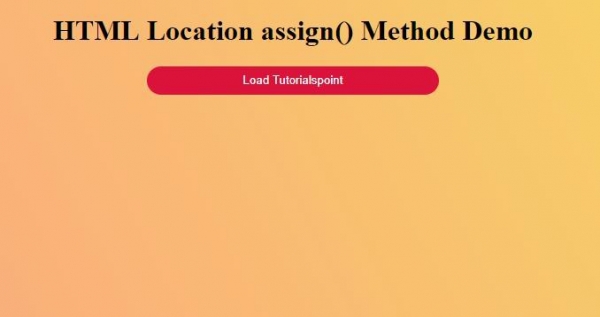
點選“載入 Tutorialspoint”按鈕,在當前文件中載入教程點文件−


更新於: 27-Sep-2019
119 瀏覽

廣告