
 資料結構
資料結構 網路
網路 RDBMS
RDBMS 作業系統
作業系統 Java
Java MS Excel
 iOS
iOS HTML
HTML CSS
CSS Android
 Python
 C 程式設計
 C++
C++ C#
C# MongoDB
 MySQL
MySQL Javascript
 PHP
PHP 物理
物理 化學
化學 生物
生物 數學
數學 英語
英語 經濟學
經濟學 心理學
心理學 社會研究
社會研究 時尚研究
時尚研究 法律研究
法律研究HTML DOM Location origin 屬性
Location origin 屬性返回對應於 URL 的協議、主機名、主機埠號(如果已指定)的字串。
語法
以下是語法 −
返回 origin 屬性的值
location.origin
示例
我們來看看 Location origin 屬性的示例 −
<!DOCTYPE html>
<html>
<head>
<title>Location origin</title>
<style>
   form {
      width:70%;
      margin: 0 auto;
      text-align: center;
   }
   * {
      padding: 2px;
      margin:5px;
   }
   input[type="button"] {
      border-radius: 10px;
   }
</style>
</head>
<body>
<form>
<fieldset>
<legend>Location-origin</legend>
<label for="urlSelect">Current URL:</label>
<input type="url" size="30" id="urlSelect" value="https://www.example.com:2544/aboutUs">
<input type="button" onclick="getorigin()" value="Get origin">
<div id="divDisplay"></div>
</fieldset>
</form>
<script>
   var divDisplay = document.getElementById("divDisplay");
   var urlSelect = document.getElementById("urlSelect");
   function getorigin(){
      divDisplay.textContent = 'URL Origin: '+location.origin;
   }
</script>
</body>
</html>
輸出
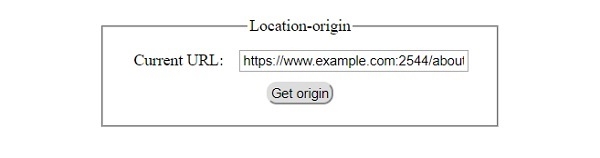
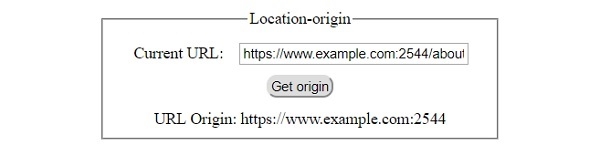
將產生以下輸出 −
單擊 ‘獲取 origin’ 按鈕之前 −
單擊 ‘獲取 origin’ 按鈕之後 −

更新於: 30-7 月-2019
84 瀏覽量

廣告