
 資料結構
資料結構 網路
網路 RDBMS
RDBMS 作業系統
作業系統 Java
Java MS Excel
 iOS
iOS HTML
HTML CSS
CSS Android
 Python
 C 程式設計
 C++
C++ C#
C# MongoDB
 MySQL
MySQL Javascript
 PHP
PHP 物理
物理 化學
化學 生物
生物 數學
數學 英語
英語 經濟學
經濟學 心理學
心理學 社會研究
社會研究 時尚研究
時尚研究 法律研究
法律研究HTML DOM location replace() 方法
HTML DOM Location replace() 方法用於呈現一個新的文件,替換當前文件。它還從文件歷史記錄中移除當前文件 URL,停用導航到舊文件的 “返回” 按鈕。
語法
以下為語法 −
location.replace(URLString)
示例
下面是 Location replace() 屬性的一個示例 −
<!DOCTYPE html>
<html>
<head>
<title>Location replace()</title>
<style>
   form {
      width:70%;
      margin: 0 auto;
   text-align: center;
   }
   * {
      padding: 2px;
      margin:5px;
   }
   input[type="button"] {
      border-radius: 10px;
   }
</style>
</head>
<body>
<form>
<fieldset>
<legend>Location-replace( )</legend>
<label for="urlSelect">Current URL: </label>
<input type="url" id="urlSelect" value="https://www.example.com"><br>
<label for="newUrlSelect">New URL: </label>
<input type="url" id="newUrlSelect" placeholder="Give new url..."><br>
<input type="button" onclick="doReplace()" value="Go to new URL">
<div id="divDisplay"></div>
</fieldset>
</form>
<script>
   var divDisplay = document.getElementById("divDisplay");
   var urlSelect = document.getElementById("urlSelect");
   var newUrlSelect = document.getElementById("newUrlSelect");
   function doReplace(){
      if(newUrlSelect.value === '')
         divDisplay.textContent = 'Provide new URL';
      else{
         location.replace(newUrlSelect.value);
         divDisplay.textContent = 'Redirecting to new URL';
      }
   }
</script>
</body>
</html>
輸出
這將產生以下輸出 −
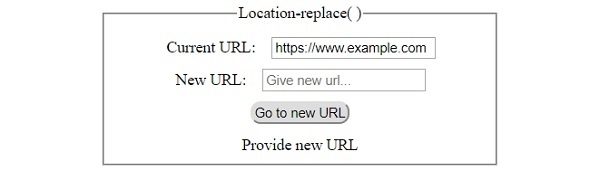
單擊沒有輸入的 “Go to new URL” 按鈕後 −
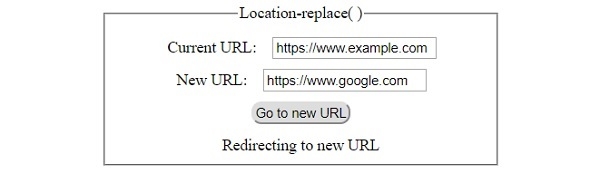
填寫詳細資訊後單擊 ‘Go to new URL’ 按鈕 −

更新時間:30-Jul-2019
167 次瀏覽

廣告