
 資料結構
資料結構 網路
網路 RDBMS
RDBMS 作業系統
作業系統 Java
Java MS Excel
 iOS
iOS HTML
HTML CSS
CSS Android
 Python
 C 程式設計
 C++
C++ C#
C# MongoDB
 MySQL
MySQL Javascript
 PHP
PHP 物理學
物理學 化學
化學 生物
生物 數學
數學 英語
英語 經濟學
經濟學 心理學
心理學 社會學
社會學 時裝學
時裝學 法律學
法律學HTML DOM 位置主機名屬性
位置主機名屬性返回/設定 URL 路徑的主機名。
語法
以下為語法 −
- 返回 hostname 屬性的值
location.hostname
- 設定 hostname 屬性的值
location.hostname = hostname
示例
讓我們來看一個 Location hostname 屬性的示例 −
<!DOCTYPE html>
<html>
<head>
<title>Location hostname</title>
<style>
   form {
      width:70%;
      margin: 0 auto;
      text-align: center;
   }
   * {
      padding: 2px;
      margin:5px;
   }
   input[type="button"] {
      border-radius: 10px;
   }
</style>
</head>
<body>
<form>
<fieldset>
<legend>Location-hostname</legend>
<label for="urlSelect">Current URL:</label>
<input type="url" size="27" id="urlSelect" value="https://www.example.com:2544">
<input type="button" onclick="getHostname()" value="Get Hostname">
<div id="divDisplay"></div>
</fieldset>
</form>
<script>
   var divDisplay = document.getElementById("divDisplay");
   var urlSelect = document.getElementById("urlSelect");
   function getHostname(){
      divDisplay.textContent = 'Hostname: '+location.hostname;
   }
</script>
</body>
</html>
輸出
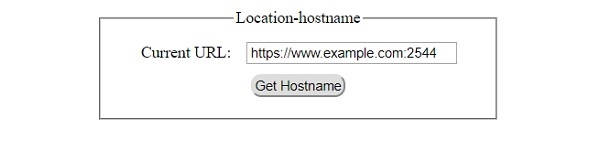
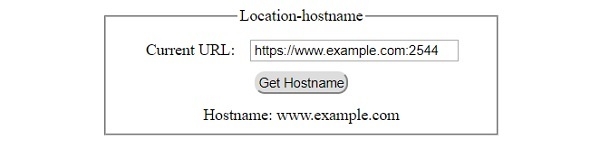
它將產生以下輸出 −
在點選 ‘Get Hostname’ 按鈕之前 −
在點選 ‘Get Hostname’ 按鈕之後 −

更新於: 30-Jul-2019
304 次瀏覽

廣告