
 資料結構
資料結構 網路
網路 RDBMS
RDBMS 作業系統
作業系統 Java
Java MS Excel
 iOS
iOS HTML
HTML CSS
CSS Android
 Python
 C 程式設計
 C++
C++ C#
C# MongoDB
 MySQL
MySQL Javascript
 PHP
PHP 物理
物理 化學
化學 生物
生物 數學
數學 英語
英語 經濟學
經濟學 心理學
心理學 社會科學
社會科學 時尚研究
時尚研究 法律研究
法律研究如何使用 Tkinter 列印硬複製?
Tkinter 允許開發人員與本地系統中的檔案互動。在本文中,我們將介紹如何使用 filedialog 和 win32api 等 Tkinter 包列印檔案的硬複製。
若要匯入這些包,我們必須先安裝這些模組在我們的環境中。若要安裝 win32api,我們將使用 pip install pywin32
示例
#import the required libraries
from tkinter import *
from tkinter import filedialog
import win32api

#Create an instance of tkinter frame or window
win= Tk()

win.title('Print Hard Copy')
win.geometry("700x400")

#Define function
def print_file():
   file= filedialog.askopenfilename(initialdir="/", title="Select any file",filetypes=(("Text files", "*.txt"), ("all files", "*.*")))
   if file:
      #Print Hard copy using Printer
      win32api.ShellExecute(0, "Choose a File", file, None, ".", 0)
#Create a button for printing event
button= Button(win, text="Choose a File to Print", command=print_file).pack(pady= 20)

#Keep running the window or frame
win.mainloop()
輸出
執行上述程式碼將產生如下輸出 −
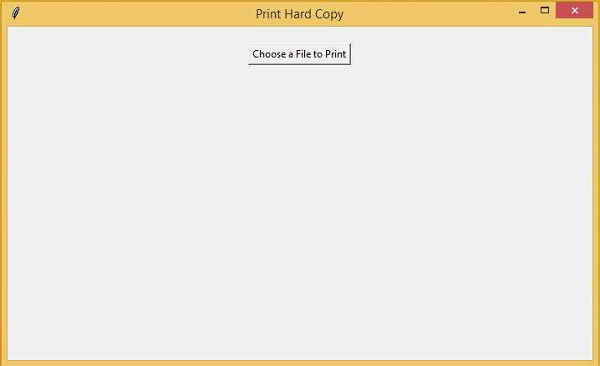
如果您單擊按鈕,它將開啟一個資料夾,您可以從其中選擇一個檔案進行列印。

更新日期: 06-Mar-2021
777 次瀏覽

廣告