
 資料結構
資料結構 網路
網路 關係型資料庫管理系統
 作業系統
作業系統 Java
Java MS Excel
 iOS
iOS HTML
HTML CSS
CSS Android
 Python
 C 語言程式設計
 C++
C++ C#
C# MongoDB
 MySQL
MySQL Javascript
 PHP
PHP 物理學
物理學 化學
化學 生物學
生物學 數學
數學 英語
英語 經濟學
經濟學 心理學
心理學 社會科學
社會科學 時尚研究
時尚研究 法律研究
法律研究如何使用 Tkinter 開啟外部程式?
有時,在建立應用程式時,我們需要與外部程式和應用程式進行互動。為了與系統的應用程式和程式進行互動,我們必須在 Python 中使用os模組。
在本文中,我們將瞭解如何使用 Python 中的 OS 模組與外部程式進行互動並開啟檔案。
首先,我們將定義一個函式,它將使用 Python 中的filedialog庫開啟所選檔案。然後,我們將在使用os模組的情況下列印路徑並開啟檔案。
舉例
# Import the required Libraries
from tkinter import *
from tkinter import filedialog
import os

#Create an instance of tkinter frame
win= Tk()

#Set the geometry for the window or frame
win.geometry("600x400")

#Define a function to open the application

def app():
   file= filedialog.askopenfilename()
   text.config(text= file)
   #Open the program
   os.system('"%s"' %file)

#Create a button
Button(win, text='Click to Open a Program',font=('Poppins bold', 10),
command=app).pack(pady=20)

#Create a Label after button event
text= Label(win, text= "", font= ('Poppins bold', 10))
text.pack(pady=20)

#Keep running the window or frame
win.mainloop()
輸出
執行以上程式碼將產生如下所示的視窗作為輸出 −
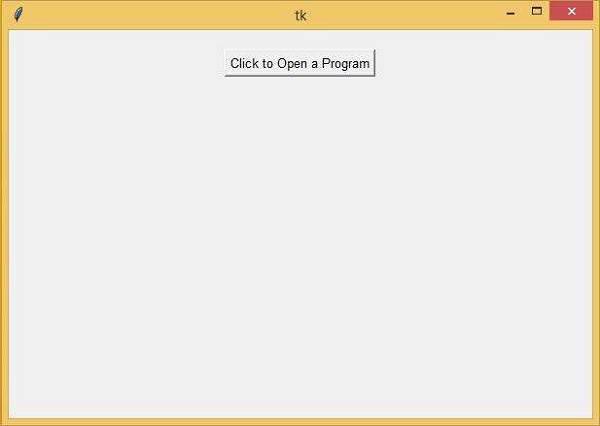
現在,單擊此按鈕,將開啟“我的文件”資料夾,您可以在其中開啟程式。

更新日期:2021 年 3 月 6 日
457 次瀏覽

廣告