
 資料結構
資料結構 網路
網路 RDBMS
RDBMS 作業系統
作業系統 Java
Java MS Excel
 iOS
iOS HTML
HTML CSS
CSS Android
 Python
 C 程式設計
 C++
C++ C#
C# MongoDB
 MySQL
MySQL Javascript
 PHP
PHP 物理學
物理學 化學
化學 生物學
生物學 數學
數學 英語
英語 經濟學
經濟學 心理學
心理學 社會學
社會學 時尚研究
時尚研究 法律研究
法律研究利用 Python 和 Tkinter 從剪貼簿中複製
我們可以使用 Tkinter 的 clipboard_get() 方法從剪貼簿中進行復制。我們舉個例子,看看如何從剪貼簿獲取資料並將其顯示在 Tkinter 視窗上。
步驟 −
匯入 Tkinter 庫並建立一個 Tkinter 框架例項。
使用 geometry 方法設定框架大小。
接下來,呼叫 clipboard_get() 從剪貼簿中獲取文字,並將資料儲存在變數 “cliptext” 中。
建立一個標籤以顯示剪貼簿文字。傳遞 cliptext 作為 text,“text=cliptext”。
最後,執行應用程式視窗的 mainloop。
示例
# Import the tkinter library
from tkinter import *

# Instance of tkinter canvas
win = Tk()
win.geometry("700x250")
win.title("Data from Clipboard")

# Get the data from the clipboard
cliptext = win.clipboard_get()

# Label to print clipboard text
lab=Label(win, text = cliptext, font=("Calibri",15,"bold"))
lab.pack(padx=20, pady=50)

# Run the mainloop
win.mainloop()
輸出
它將產生以下輸出 −
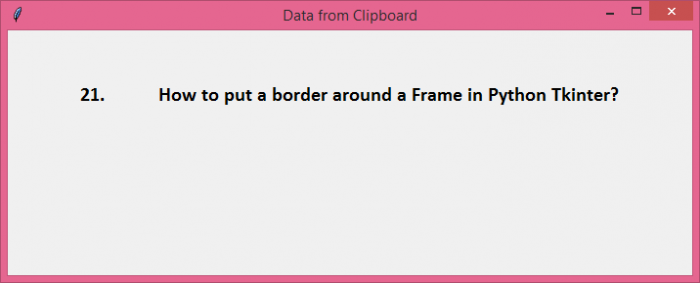
它將在視窗上顯示剪貼簿的內容。

更新於: 26-10-2021
6K+ 的瀏覽量

廣告