
 資料結構
資料結構 網路
網路 RDBMS
RDBMS 作業系統
作業系統 Java
Java MS Excel
 iOS
iOS HTML
HTML CSS
CSS Android
 Python
 C 程式設計
 C++
C++ C#
C# MongoDB
 MySQL
MySQL Javascript
 PHP
PHP 物理
物理 化學
化學 生物
生物 數學
數學 英語
英語 經濟學
經濟學 心理學
心理學 社會學
社會學 服裝學
服裝學 法學
法學如何使用 Tkinter 按鈕退出 Python?
要使用 Tkinter 按鈕退出 Python,您可以執行以下步驟 −
步驟 −
匯入 tkinter 庫並建立一個 tkinter 框架例項。
使用 geometry 方法設定框架大小。
定義一個名為 close() 的函式,用來關閉視窗。在 close() 中呼叫方法 win.destroy()。
接下來,建立一個按鈕並呼叫 close() 函式。
最後,執行應用程式視窗的 mainloop。
示例
# Import the library
from tkinter import *

# Create an instance of window
win = Tk()

# Set the geometry of the window
win.geometry("700x350")

# Title of the window
win.title("Click the Button to Close the Window")

# Define a function to close the window
def close():
   #win.destroy()
   win.quit()

# Create a Button to call close()
Button(win, text= "Close the Window", font=("Calibri",14,"bold"), command=close).pack(pady=20)

win.mainloop()
輸出
執行後,會生成以下輸出 −
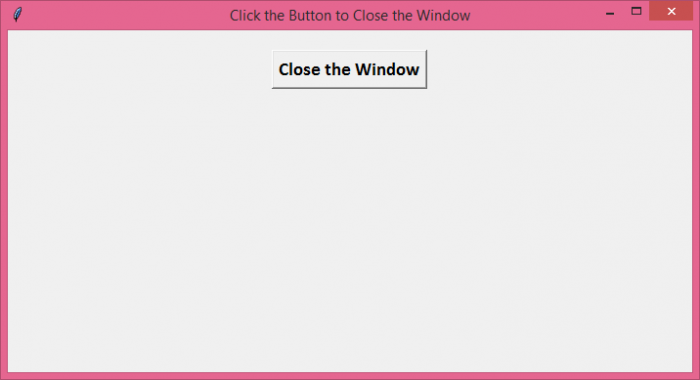
單擊按鈕後,將關閉視窗。
除了 win.destroy(),您還可以使用 win.quit() 來關閉應用程式。但兩者之間有一個細微的區別。win.quit() 突然退出應用程式,這意味著主迴圈仍會在後臺執行。而 win.destroy() 會終止 mainloop 並銷燬視窗中的所有小部件。

更新時間: 26-Oct-2021
23K+ 瀏覽

廣告