
 資料結構
資料結構 網路
網路 RDBMS
RDBMS 作業系統
作業系統 Java
Java MS Excel
 iOS
iOS HTML
HTML CSS
CSS Android
 Python
 C 程式設計
 C++
C++ C#
C# MongoDB
 MySQL
MySQL Javascript
 PHP
PHP 物理
物理 化學
化學 生物
生物 數學
數學 英語
英語 經濟
經濟 心理學
心理學 社會研究
社會研究 時尚研究
時尚研究 法律研究
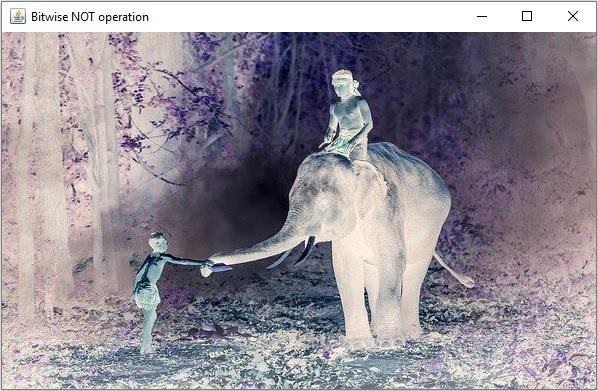
法律研究如何使用 Java OpenCV 在影像上執行按位取反操作?
你可以使用 org.opencv.core.Core 類的 bitwise_not() 方法在兩幅影像之間計算按位與運算。
此方法接受兩個 Mat 物件,表示源矩陣和目標矩陣,計算源矩陣中每個元素的逆,並將結果儲存在目標矩陣中。
示例
import org.opencv.core.Core;
import org.opencv.core.Mat;
import org.opencv.highgui.HighGui;
import org.opencv.imgcodecs.Imgcodecs;
public class BitwiseNOTExample {
   public static void main(String args[]) throws Exception {
      //Loading the OpenCV core library
      System.loadLibrary( Core.NATIVE_LIBRARY_NAME );
      //Reading the Image
      String file ="D://images//elephant.jpg";
      Mat src = Imgcodecs.imread(file);
      HighGui.imshow("Grayscale Image", src);
      //Creating an empty matrix to store the result
      Mat dst = new Mat(src.rows(), src.cols(), src.type());
      //Applying bitwise not operation
      Core.bitwise_not(src, dst);
      HighGui.imshow("Bitwise NOT operation", dst);
      HighGui.waitKey();
   }
}
輸入影像

輸出
執行後,以上程式將生成以下視窗 -

更新於:2020 年 4 月 10 日
348 次瀏覽

廣告