
 資料結構
資料結構 網路
網路 關係資料庫管理系統
 作業系統
作業系統 Java
Java MS Excel
 iOS
iOS HTML
HTML CSS
CSS Android
 Python
 C 程式設計
 C++
C++ C#
C# MongoDB
 MySQL
MySQL Javascript
 PHP
PHP 物理學
物理學 化學
化學 生物學
生物學 數學
數學 英語
英語 經濟學
經濟學 心理學
心理學 社會學
社會學 服裝設計
服裝設計 法律研究
法律研究如何在 ReactJS Docker 中實現熱過載?
熱過載是在 Web 瀏覽器上為 React 應用程式新增動態功能。這意味著如果我們更改應用程式程式碼中的某些內容,它會立即反映到 Web 應用程式前端。但在“重新載入”任何內容之前,我們必須瞭解“載入”,即在 Node Docker 容器上建立一些 ReactJs 專案。
建立和容器化 React 應用
步驟 1:React 應用
使用預構建命令建立一個基本的 React 應用程式。
示例
$npx create-react-app reactapp
輸出
npx: installed 67 in 19.076s

Creating a new React app in /home/hemant/project/reactapp.

Installing packages. This might take a couple of minutes.
Installing react, react-dom, and react-scripts with cra-template...


> core-js@3.26.1 postinstall /home/hemant/project/test/reactapp/node_modules/core-js
> node -e "try{require('./postinstall')}catch(e){}"

> core-js-pure@3.26.1 postinstall /home/hemant/project/test/reactapp/node_modules/core-js-pure
> node -e "try{require('./postinstall')}catch(e){}"

+ cra-template@1.2.0
+ react-scripts@5.0.1
+ react@18.2.0
+ react-dom@18.2.0
added 1407 packages from 624 contributors in 233.937s

213 packages are looking for funding
  run `npm fund` for details


Initialized a git repository.

Installing template dependencies using npm...
npm WARN @apideck/better-ajv-errors@0.3.6 requires a peer of ajv@>=8 but none is installed. You must install peer dependencies yourself.
npm WARN fork-ts-checker-webpack-plugin@6.5.2 requires a peer of typescript@>= 2.7 but none is installed. You must install peer dependencies yourself.
npm WARN tsutils@3.21.0 requires a peer of typescript@>=2.8.0 || >= 3.2.0-dev || >= 3.3.0-dev || >= 3.4.0-dev || >= 3.5.0-dev || >= 3.6.0-dev || >= 3.6.0-beta || >= 3.7.0-dev || >= 3.7.0-beta but none is installed. You must install peer dependencies yourself.
npm WARN optional SKIPPING OPTIONAL DEPENDENCY: fsevents@2.3.2 (node_modules/fsevents):
npm WARN notsup SKIPPING OPTIONAL DEPENDENCY: Unsupported platform for fsevents@2.3.2: wanted {"os":"darwin","arch":"any"} (current: {"os":"linux","arch":"x64"})

+ @testing-library/jest-dom@5.16.5
+ @testing-library/react@13.4.0
+ @testing-library/user-event@13.5.0
+ web-vitals@2.1.4
added 72 packages from 89 contributors in 21.128s

226 packages are looking for funding
  run `npm fund` for details

Removing template package using npm...

npm WARN @apideck/better-ajv-errors@0.3.6 requires a peer of ajv@>=8 but none is installed. You must install peer dependencies yourself.
npm WARN fork-ts-checker-webpack-plugin@6.5.2 requires a peer of typescript@>= 2.7 but none is installed. You must install peer dependencies yourself.
npm WARN tsutils@3.21.0 requires a peer of typescript@>=2.8.0 || >= 3.2.0-dev || >= 3.3.0-dev || >= 3.4.0-dev || >= 3.5.0-dev || >= 3.6.0-dev || >= 3.6.0-beta || >= 3.7.0-dev || >= 3.7.0-beta but none is installed. You must install peer dependencies yourself.
npm WARN optional SKIPPING OPTIONAL DEPENDENCY: fsevents@2.3.2 (node_modules/fsevents):
npm WARN notsup SKIPPING OPTIONAL DEPENDENCY: Unsupported platform for fsevents@2.3.2: wanted {"os":"darwin","arch":"any"} (current: {"os":"linux","arch":"x64"})

removed 1 package and audited 1479 packages in 9.798s

226 packages are looking for funding
  run `npm fund` for details

found 1 high severity vulnerability
  run `npm audit fix` to fix them, or `npm audit` for details
Git commit not created Error: Command failed: git commit -m "Initialize project using Create React App"
   at checkExecSyncError (child_process.js:790:11)
   at execSync (child_process.js:863:15)
   at tryGitCommit (/home/hemant/project/test/reactapp/node_modules/react-scripts/scripts/init.js:62:5)
   at module.exports (/home/hemant/project/test/reactapp/node_modules/react-scripts/scripts/init.js:350:25)
   at [eval]:3:14
   at Script.runInThisContext (vm.js:134:12)
   at Object.runInThisContext (vm.js:310:38)
   at internal/process/execution.js:81:19
   at [eval]-wrapper:6:22
   at evalScript (internal/process/execution.js:80:60) {
  status: 128,
  signal: null,
  output: [ null, null, null ],
  pid: 8786,
  stdout: null,
  stderr: null
}
Removing .git directory...

Success! Created reactapp at /home/hemant/project/reactapp
Inside that directory, you can run several commands:

  npm start
   Starts the development server.

  npm run build
   Bundles the app into static files for production.

  npm test
   Starts the test runner.

  npm run eject
   Removes this tool and copies build dependencies, configuration files
   and scripts into the app directory. If you do this, you can’t go back!

We suggest that you begin by typing:

  cd reactapp
  npm start

Happy hacking!
執行上述命令後,將建立一個名為“reactapp”的新資料夾。其中包含 React Web 應用程式執行所需的所有必要檔案。我們也可以在主機平臺上執行此應用程式,但我們的需求是在 Docker 容器上執行此應用程式,併為其提供熱過載的功能。
步驟 2:Dockerfile
現在為這個 React 應用程式建立一個 Dockerfile。
示例
#Here we will use node as the base image.
FROM node:14.21.1-alpine

#create a working directory inside the container.
WORKDIR /app

#Environment variables.
ENV PATH /app/node_modules/.bin:$PATH

#copy the files from the host to the container.
COPY package.json ./
COPY package-lock.json ./

#install npm and react versions.
RUN npm install --silent
RUN npm install react-scripts@5.0.1 -g --silent

#install nodemon to provide hot-reloading functionality.
RUN npm install nodemon --save-dev
COPY . ./

#use nodemon to run the react application using npm.
CMD ["nodemon", "--exec", "npm", "start"]
步驟 3:建立 Dockerignore
透過建立一個 .dockerignore 檔案,我們將忽略一些不需要的檔案,避免將其複製到容器中。
示例
node_modules
build
.dockerignore
Dockerfile
Dockerfile.prod
步驟 4:構建映象
現在所有前提條件都已完成,我們只需為這個 React 應用程式建立映象,然後在容器上執行它進行測試。
示例
$docker build -t react_img .
輸出
Sending build context to Docker daemon  587.3kB
Step 1/10 : FROM node:14.21.1-alpine
 ---> 87112681acad
Step 2/10 : WORKDIR /app
 ---> Using cache
 ---> 0b207dfe1b40
Step 3/10 : ENV PATH /app/node_modules/.bin:$PATH
 ---> Using cache
 ---> 8a6c9d9d6d96
Step 4/10 : COPY package.json ./
 ---> Using cache
 ---> 97342fa619fa
Step 5/10 : COPY package-lock.json ./
 ---> Using cache
 ---> 8c04867af3e6
Step 6/10 : RUN npm install --silent
 ---> Using cache
 ---> 0ab355131c9e
Step 7/10 : RUN npm install react-scripts@5.0.1 -g --silent
 ---> Using cache
 ---> 1698f24cd34c
Step 8/10 : RUN npm install nodemon --save-dev
 ---> Using cache
 ---> 8b2ed3bc8422
Step 9/10 : COPY . ./
 ---> Using cache
 ---> f69b093c6605
Step 10/10 : CMD ["nodemon", "--exec", "npm", "start"]
 ---> Using cache
 ---> 13071aaea8eb
Successfully built 13071aaea8eb
Successfully tagged react_img:latest
步驟 5:建立容器
在這裡,我們必須為上面建立的映象“react_img”建立 Docker 容器。此外,在容器化過程中,我們需要將埠號從主機發布到容器。
示例
$docker run -it --name react_container_app -p 3000:3000 react_img
輸出
[nodemon] 2.0.20
[nodemon] to restart at any time, enter `rs`
[nodemon] watching path(s): *.*
[nodemon] watching extensions: js,mjs,json
[nodemon] starting `npm start`

> reactapp@0.1.0 start /app
> react-scripts start

Compiled successfully!
You can now view reactapp in the browser.

   Local:            https://:3000
   On Your Network:  http://172.17.0.2:3000

Note that the development build is not optimized.
To create a production build, use npm run build.

webpack compiled successfully
在“localhost:3000”上檢查伺服器,應用程式正常工作。
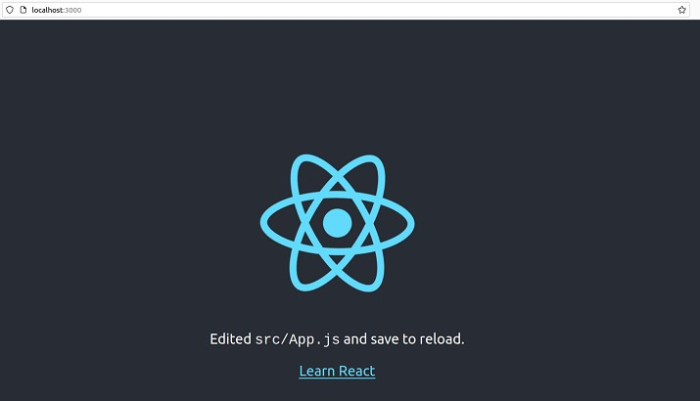
熱過載應用程式伺服器
有兩種方法可以熱過載 React 應用程式,一種是在 Docker 容器內部更改程式碼,另一種是在容器外部更改程式碼。
從容器內部
首先,使用 exec 命令進入容器內部
$docker exec -it react_container_app sh
現在將目錄更改為 app/src/ 並更改 App.js 內部的程式碼,檢視 Web 應用程式中是否出現了任何更改。將文字更改為“THIS IS TUTORIALSPOINT REACT APPLICATION”。
示例
$cd src/
$vi App.js
輸出
import logo from './logo.svg';
import './App.css';

function App() {
   return (
      <div className="App">
      <header className="App-header">
      <img src={logo} className="App-logo" alt="logo" />
      <p>
         THIS IS TUTORIALSPOINT REACT APPLICATION.
      </p>
      <a
         className="App-link"
         href="https://react.com.tw"
         target="_blank"
         rel="noopener noreferrer"
      >
         Learn React
      </a>
      </header>
   </div>
  );
}

export default App;
~
~
~
~
現在檢查更改是否生效。
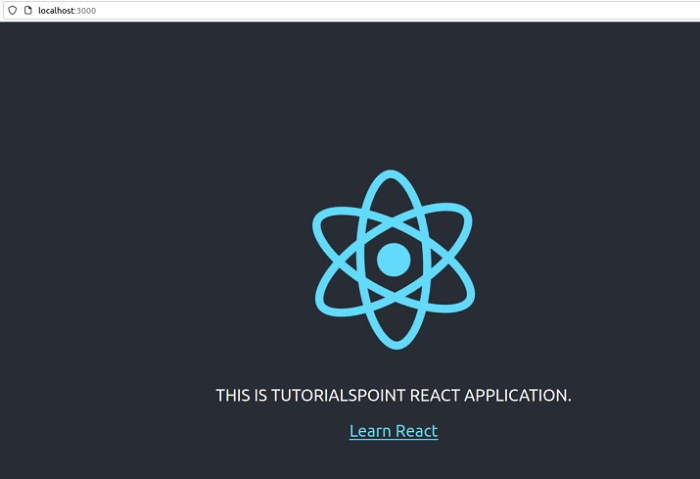
因此,React 應用程式對程式碼中的任何即時更改都有響應。
從容器外部
要執行此任務,您需要建立一個新的容器並將該容器繫結到卷或應用程式目錄,這將允許容器檢測主機機器上程式碼的任何更改。
建立容器。
示例
$docker run -it \
--name new_react_container \
--volume ./reactapp/:/app/   \
-p 3000:3000 react_img
檢查伺服器是否正在執行。
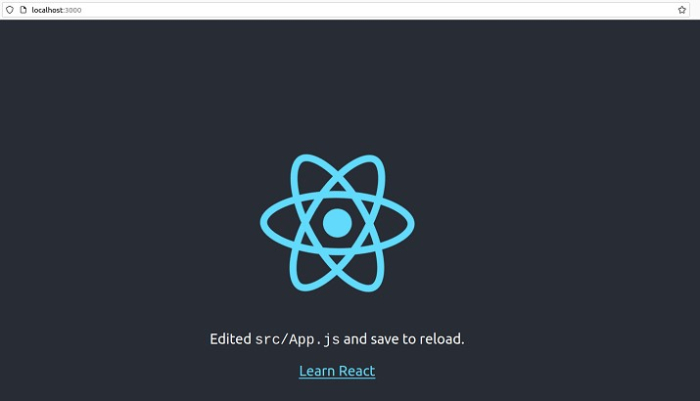
現在在主機目錄中更改程式碼並檢視更改。
示例
$cd /reactapp/src
$vi App.js
輸出
import logo from './logo.svg';
import './App.css';

function App() {
   return (
      <div className="App">
      <header className="App-header">
      <img src={logo} className="App-logo" alt="logo" />
      <p>
         CHANGES FROM OUTSIDE THE CONTAINER.
      </p>
      <a
         className="App-link"
         href="https://react.com.tw"
         target="_blank"
         rel="noopener noreferrer"
      >
         Learn React
      </a>
      </header>
   </div>
   );
}

export default App;
~
~
~
~
檢查更改是否已反映到 Web 應用程式中。
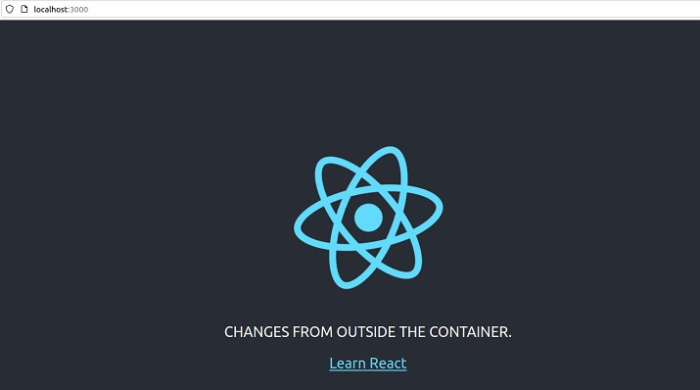
這些是在應用程式更新時熱過載 React 容器的一些方法。

10K+ 瀏覽量
