
 資料結構
資料結構 網路
網路 關係資料庫管理系統 (RDBMS)
 作業系統
作業系統 Java
Java MS Excel
 iOS
iOS HTML
HTML CSS
CSS Android
 Python
 C 程式設計
 C++
C++ C#
C# MongoDB
 MySQL
MySQL Javascript
 PHP
PHP 物理
物理 化學
化學 生物
生物 數學
數學 英語
英語 經濟學
經濟學 心理學
心理學 社會學
社會學 時尚研究
時尚研究 法律研究
法律研究如何使用 Material UI 在 ReactJS 中建立暗黑模式?
我們將學習如何使用 Material UI 庫在 ReactJS 中建立暗黑模式。Material UI 是一個外部 React 庫,它提供設計好的 React 元件,我們可以透過從庫中匯入直接在我們的 React 專案中使用。
在全世界範圍內,大多數使用者喜歡暗黑模式,只有一部分人喜歡亮色模式。暗黑模式有助於減少訪客的眼睛疲勞,並顯得更加高檔。因此,我們應該允許使用者根據自己的偏好選擇暗黑模式或亮色模式。
在原生 JavaScript 或 JQuery 中,我們可以透過新增和刪除暗黑主題的類來建立暗黑和亮色模式。在 React 中,我們可以使用 Material-Ui 等外部庫來在應用程式中實現暗黑模式。
在開始之前,使用者需要在 React 專案中安裝 Material-Ui 庫。在終端中執行以下命令。
npm install @mui/material @emotion/react @emotion/styled
語法
使用者可以按照以下語法使用 ReactJS 的 Material-Ui 庫建立暗黑模式。
const darkTheme	 = createTheme({
   palette: {
      mode: "dark",
   },
});
<ThemeProvider theme={darkTheme}>
   <CssBaseline />
</ThemeProvider>
在上面的語法中,我們使用了來自 Material-Ui 的 ThemeProvider 元件,並將 darkTheme 物件作為 ThemeProvider 元件的一個屬性傳遞。此外,我們需要使用 CssBaseline 元件來應用暗黑主題的 CSS;否則,它將無法正常工作。
示例 1
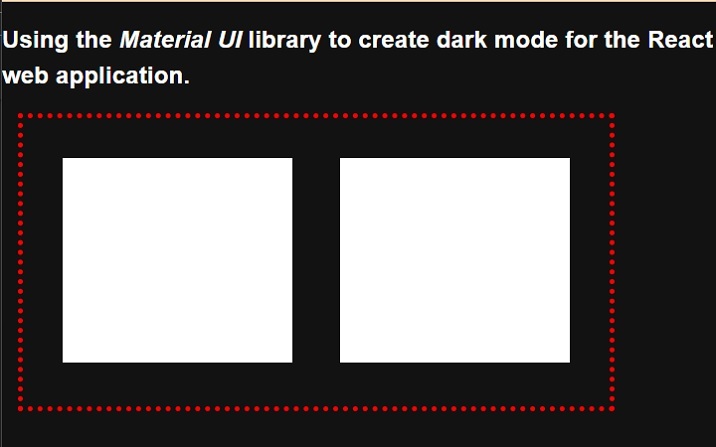
在下面的示例中,我們匯入了來自 Material Ui 庫的 ThemeProvider 元件和 createTheme 建構函式。之後,我們使用了 createTheme() 建構函式並建立了暗黑主題。
我們需要將元件的內容繫結到 ThemeProvider 元件內部,並將主題物件作為 ThemeProvider 元件的屬性傳遞。在輸出中,使用者可以看到暗黑主題。
import { ThemeProvider, createTheme } from "@mui/mater/styles;
import CssBaseline from "@mui/material/CssBaseline";

const theme = createTheme({
   palette: {
      mode: "dark",
   },
});

function App() {
   const divStyle = {
      display: "flex",
      flexDireciton: "row",
      textAlign: "center",
      border: "5px dotted red",
      width: "600px",
      height: "300px",
      marginLeft: "1rem",
      padding: "1rem",
   };
   const ChildDivStyle = {
      height: "80%",
      width: "45%",
      margin: "1.5rem",
      backgroundColor: "White",
   };
   return (
      <ThemeProvider theme={theme}>
         <CssBaseline />
         <div>
            <h2>
               {" "}
               Using the <i> Material UI </i> library to create dark mode for the
               React web application. {" "}
            </h2>
            <div style = {divStyle}>
               <div style = {ChildDivStyle}> </div>
               <div style = {ChildDivStyle}> </div>
            </div>
         </div>
      </ThemeProvider>
   );
}
export default App;
輸出
示例 2 的步驟
使用者可以按照以下步驟建立示例 2。
步驟 1 − 從 Material-Ui 庫匯入 ThemeProvider、CreateTheme 和 CSSBaseline。
步驟 2 − 現在,使用 ThemeProvider 元件並將其他元件繫結以應用主題。
步驟 3 − 接下來,建立一個按鈕來切換主題。當用戶單擊按鈕時,它應該呼叫 handleThemeChange() 函式。
步驟 4 − 現在,設定主題的變數。我們將根據 ‘themeLight’ 變數的布林值選擇亮色或暗黑主題。
步驟 5 − 使用 createTheme() 建構函式根據 themeLight 變數的值建立主題。對於條件主題,我們可以使用三元運算子。
步驟 6 − 接下來,還要實現 handleThemeChange() 函式。在 handleThemeChange() 函式中,更改 themeLight 變數的值以在亮色和暗黑主題之間切換。
示例 2
在下面的示例中,我們使用了 Material-Ui 庫將暗黑和亮色主題應用於 React 應用程式。當用戶單擊按鈕時,它會從亮色主題更改為暗黑主題,或從暗黑主題更改為亮色主題。
import { ThemeProvider, createTheme } from "@mui/material/styles";
import CssBaseline from "@mui/material/CssBaseline";
import React from "react";
import { useState } from "react";

function App() {
   const [themeLight, setThemeType] = useState(true);
   const theme = createTheme({
      palette: {
         mode: themeLight ? "light" : "dark",
      },
   });
   function handleThemeChange() {
      setThemeType(!themeLight);
   }
   const divStyle = {
      textAlign: "center",
      border: "5px solid green",
      width: "500px",
      height: "400px",
      marginLeft: "1rem",
      padding: "1rem",
      fontSize: "1.2rem",
      color: "blue,",
   };
   const buttonStyle = {
      width: "15rem",
      height: "2rem",
      borderRadius: "10px",
      border: "1px solid green",
      backgroundColor: "darkGrey",
      fontSize: "1.5rem",
      padding: "2px",
      marginLeft: "1rem",
   };
   return (
      <ThemeProvider theme={theme}>
         <CssBaseline />
         <div>
            <h2>
               {" "}
               Using the <i> Material UI </i> library to create dark mode for the
               React web application. {" "}
            </h2>
            <h3> Use the button to toggle the theme. </h3>
            <div style = {divStyle}>
               <p>This is the content of the Div! </p>
               <p>This is another content of the Div! </p>
               <p>This is the test text of the Div! </p>
               <p>This is the last line of the Div! </p>
            </div>
         </div>
         <br></br>
         <button style = {buttonStyle} onClick = {handleThemeChange}>
           Change Theme
         </button>
      </ThemeProvider>
   );
}
export default App;
輸出
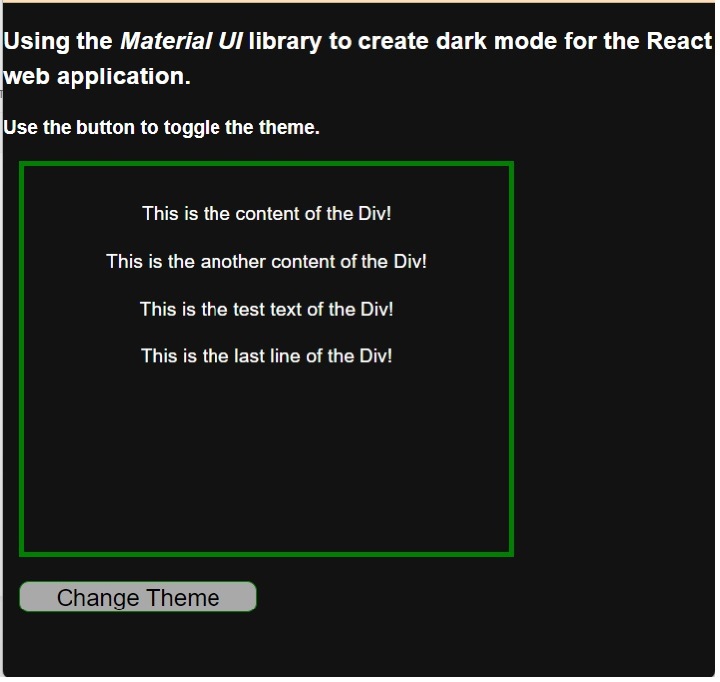
使用者學習瞭如何使用 Material Ui 庫在暗黑和亮色模式之間切換。使用者可以在示例輸出中觀察到,當我們從亮色模式切換到暗黑模式時,Material UI 會更改字型顏色和背景。這意味著它會更改我們沒有定義樣式的 HTML 元素的 CSS,如果我們已對任何 HTML 元素應用 CSS,則它保持不變。

2K+ 次瀏覽
