
 資料結構
資料結構 網路
網路 關係型資料庫管理系統
 作業系統
作業系統 Java
Java MS Excel
 iOS
iOS HTML
HTML CSS
CSS Android
 Python
 C 程式設計
 C++
C++ C#
C# MongoDB
 MySQL
MySQL Javascript
 PHP
PHP 物理
物理 化學
化學 生物
生物 數學
數學 英語
英語 經濟學
經濟學 心理學
心理學 社會學
社會學 服裝設計
服裝設計 法律研究
法律研究解釋 React Native 中動畫的工作原理?
React Native 提供了一個 Animation 元件,有助於為可用的元件新增更多互動性。Animation 元件可用於為 View、Text、Image、ScrollView、FlatList 和 SectionList 新增動畫。
React Native 提供兩種型別的動畫:
- Animated API
- LayoutAnimation
Animated API
Animated API 幫助根據輸入/輸出提供基於時間的動畫。在本例中,我們將使用 Animated Timing API 動態更改框的寬度和高度。
要使用動畫,請匯入元件,如下所示:
import { Animated } from 'react-native'要使用 Animation,我們需要先對其進行配置,如下所示:
Animated.timing() 函式使用緩動函式,並且給定的值在時間上是動畫化的。使用的預設緩動函式是 easeInOut,您可以使用不同的函式或定義自己的函式。
Animated.timing() 函式的結構如下:
Animated.timing(animateparam, {
   toValue: 100,
   easing: easingfunc,
   duration: timeinseconds
}).start();
在本例中,我們將對 View 的寬度和高度進行動畫處理,因此我首先將其初始化如下:
animatedWidth 和 animatedHeight 在 componentWillMount 中初始化,如下所示:
componentWillMount = () => {
   this.animatedWidth = new Animated.Value(50)
   this.animatedHeight = new Animated.Value(100)
}
稍後新增 Animated.timing 函式,如下所示:
Animated.timing(this.animatedWidth, {
   toValue: 200,
   duration: 1000
}).start()
Animated.timing(this.animatedHeight, {
   toValue: 500,
   duration: 500
}).start()
動畫
TouchableOpacity 元件用於 onPress,當按下該元件時,將呼叫函式 this.animatedBox,該函式包含 Animated.timing 函式,該函式將執行動畫。當按下 TouchableOpacity 元件時,View 的寬度和高度將發生變化。
示例
import React, { Component } from 'react'
import { View, StyleSheet, Animated, TouchableOpacity } from 'react-native'
class Animations extends Component {
   componentWillMount = () => {
      this.animatedWidth = new Animated.Value(50)
      this.animatedHeight = new Animated.Value(100)
   }
   animatedBox = () => {
      Animated.timing(this.animatedWidth, {
      toValue: 200,
      duration: 1000
   }).start()
   Animated.timing(this.animatedHeight, {
      toValue: 500,
      duration: 500
   }).start()
}
render() {
   const animatedStyle = { width: this.animatedWidth, height:
   this.animatedHeight }
   return (
      <TouchableOpacity style = {styles.container} onPress =
         {this.animatedBox}>
      <Animated.View style = {[styles.box, animatedStyle]}/>
         </TouchableOpacity>
      )
   }
}
export default Animations
const styles = StyleSheet.create({
   container: {
      padding:100,
      justifyContent: 'center',
      alignItems: 'center'
   },
   box: {
      backgroundColor: 'gray',
      width: 50,
      height: 100
   }
})
輸出
以下是 iOS 和 Android 裝置上的檢視:
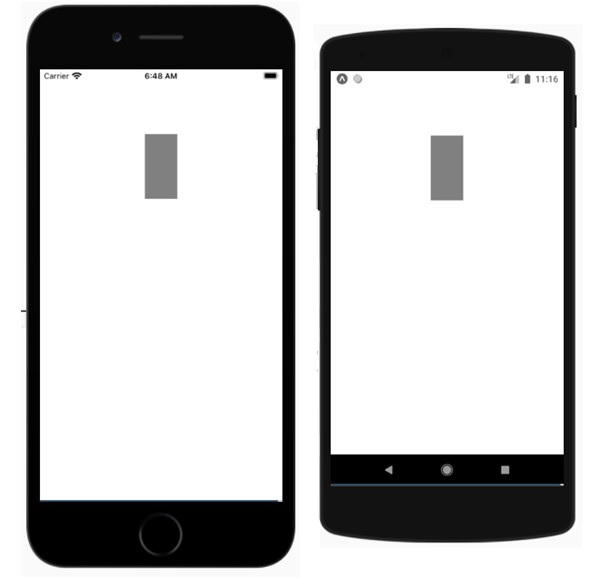
觸控灰色矩形框以檢視其動畫:

LayoutAnimation API
與 Animated API 相比,LayoutAnimation 提供了更多控制,並允許您全域性配置用於下一個渲染/佈局週期的檢視中的建立和更新動畫。
要使用 LayoutAnimation API,您需要按如下方式匯入它:
import { LayoutAnimation } from 'react-native';:示例:使用 LayoutAnimation
要使 LayoutAnimation 在 Android 上工作,您需要新增以下行:
UIManager.setLayoutAnimationEnabledExperimental &&
UIManager.setLayoutAnimationEnabledExperimental(true);
import React from 'react';
import {
   NativeModules,
   LayoutAnimation,
   Text,
   TouchableOpacity,
   StyleSheet,
   View,
} from 'react-native';
const { UIManager } = NativeModules;
UIManager.setLayoutAnimationEnabledExperimental &&
UIManager.setLayoutAnimationEnabledExperimental(true);
export default class App extends React.Component {
   state = {
      w: 50,
      h: 50,
   };
   animatecircle = () => {
      LayoutAnimation.spring();
      this.setState({w: this.state.w + 10, h: this.state.h + 10})
   }
   render() {
      return (
         <TouchableOpacity style = {styles.container} onPress={this.animatecircle}>
            <View style={[styles.circle, {width: this.state.w, height: this.state.h}]} />
               </TouchableOpacity>
         );
      }
   }
   const styles = StyleSheet.create({
      container: {
         flex: 1,
         alignItems: 'center',
         justifyContent: 'center',
   },
   circle: {
      width: 200,
      height: 200,
      borderRadius: '50%',
      backgroundColor: 'green',
   },
});
輸出

點選圓圈並檢視其動畫。


333 次瀏覽
