
- CakePHP 教程
- CakePHP - 首頁
- CakePHP - 概述
- CakePHP - 安裝
- CakePHP - 資料夾結構
- CakePHP - 專案配置
- CakePHP - 路由
- CakePHP - 控制器
- CakePHP - 檢視
- CakePHP - 擴充套件檢視
- CakePHP - 檢視元素
- CakePHP - 檢視事件
- CakePHP - 資料庫操作
- CakePHP - 檢視記錄
- CakePHP - 更新記錄
- CakePHP - 刪除記錄
- CakePHP - 服務
- CakePHP - 錯誤和異常處理
- CakePHP - 日誌記錄
- CakePHP - 表單處理
- CakePHP - 國際化
- CakePHP - 會話管理
- CakePHP - Cookie 管理
- CakePHP - 安全
- CakePHP - 驗證
- CakePHP - 建立驗證器
- CakePHP - 分頁
- CakePHP - 日期和時間
- CakePHP - 檔案上傳
- CakePHP 有用資源
- CakePHP - 快速指南
- CakePHP - 有用資源
- CakePHP - 討論
CakePHP - 路由
在本章中,我們將學習以下與路由相關的主題:
- 路由簡介
- 連線路由
- 向路由傳遞引數
- 生成 URL
- 重定向 URL
路由簡介
在本節中,我們將瞭解如何實現路由,如何將 URL 中的引數傳遞給控制器的操作,如何生成 URL,以及如何重定向到特定 URL。通常,路由是在檔案config/routes.php中實現的。路由可以透過兩種方式實現:
- 靜態方法
- 作用域路由構建器
這是一個展示這兩種型別的示例。
// Using the scoped route builder.
Router::scope('/', function ($routes) {
   $routes->connect('/', ['controller' => 'Articles', 'action' => 'index']);
});
// Using the static method.
Router::connect('/', ['controller' => 'Articles', 'action' => 'index']);
這兩種方法都將執行ArticlesController的index方法。在這兩種方法中,作用域路由構建器具有更好的效能。
連線路由
Router::connect()方法用於連線路由。以下是該方法的語法:
static Cake\Routing\Router::connect($route, $defaults =[], $options =[])
Router::connect()方法有三個引數:
第一個引數是您希望匹配的 URL 模板。
第二個引數包含路由元素的預設值。
第三個引數包含路由的選項,通常包含正則表示式規則。
這是一個路由的基本格式:
$routes->connect(
   'URL template',
   ['default' => 'defaultValue'],
   ['option' => 'matchingRegex']
);
示例
按照以下所示修改config/routes.php檔案。
config/routes.php
<?php
use Cake\Http\Middleware\CsrfProtectionMiddleware;
use Cake\Routing\Route\DashedRoute;
use Cake\Routing\RouteBuilder;
$routes->setRouteClass(DashedRoute::class);
$routes->scope('/', function (RouteBuilder $builder) {
   // Register scoped middleware for in scopes.
      $builder->registerMiddleware('csrf', new CsrfProtectionMiddleware([
      'httpOnly' => true,
   ]));
   $builder->applyMiddleware('csrf');
   $builder->connect('/', ['controller' => 'Tests', 'action' => 'show']);
   $builder->connect('/pages/*', ['controller' => 'Pages', 'action' => 'display']);
   $builder->fallbacks();
});
在src/Controller/TestsController.php處建立一個TestsController.php檔案。將以下程式碼複製到控制器檔案中。
src/Controller/TestsController.php
<?php
declare(strict_types=1);
namespace App\Controller;
use Cake\Core\Configure;
use Cake\Http\Exception\ForbiddenException;
use Cake\Http\Exception\NotFoundException;
use Cake\Http\Response;
use Cake\View\Exception\MissingTemplateException;
class TestsController extends AppController {
   public function show()
   {
   }
}
在src/Template下建立一個名為Tests的資料夾,並在該資料夾下建立一個名為show.php的檢視檔案。將以下程式碼複製到該檔案中。
src/Template/Tests/show.php
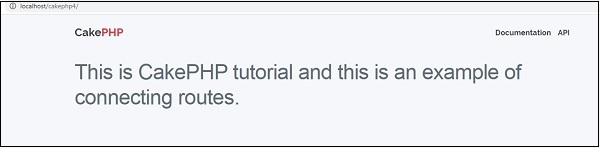
<h1>This is CakePHP tutorial and this is an example of connecting routes.</h1>
透過訪問以下 URL(位於 https:///cakephp4/)來執行上述示例。
輸出
上述 URL 將產生以下輸出。
傳遞的引數
傳遞的引數是在 URL 中傳遞的引數。這些引數可以傳遞給控制器的操作。這些傳遞的引數可以透過三種方式傳遞給您的控制器。
作為操作方法的引數
以下示例展示瞭如何將引數傳遞給控制器的操作。訪問以下 URL:https:///cakephp4/tests/value1/value2
這將匹配以下路由行。
$builder->connect('tests/:arg1/:arg2', ['controller' => 'Tests', 'action' => 'show'],['pass' => ['arg1', 'arg2']]);
這裡,URL 中的 value1 將分配給 arg1,value2 將分配給 arg2。
作為數字索引陣列
將引數傳遞給控制器的操作後,您可以使用以下語句獲取引數。
$args = $this->request->params[‘pass’]
傳遞給控制器操作的引數將儲存在 $args 變數中。
使用路由陣列
引數也可以透過以下語句傳遞給操作:
$routes->connect('/', ['controller' => 'Tests', 'action' => 'show',5,6]);
上述語句將把兩個引數 5 和 6 傳遞給 TestController 的 show() 方法。
示例
按照以下程式所示修改config/routes.php檔案。
config/routes.php
<?php
use Cake\Http\Middleware\CsrfProtectionMiddleware;
use Cake\Routing\Route\DashedRoute;
use Cake\Routing\RouteBuilder;
$routes->setRouteClass(DashedRoute::class);
$routes->scope('/', function (RouteBuilder $builder) {
// Register scoped middleware for in scopes.
$builder->registerMiddleware('csrf', new CsrfProtectionMiddleware([
      'httpOnly' => true,
   ]));
   $builder->applyMiddleware('csrf');
   $builder->connect('tests/:arg1/:arg2', ['controller' => 'Tests', 'action' => 'show'],['pass' => ['arg1', 'arg2']]);
   $builder->connect('/pages/*', ['controller' => 'Pages', 'action' => 'display']);
   $builder->fallbacks();
});
在src/Controller/TestsController.php處建立一個TestsController.php檔案。將以下程式碼複製到控制器檔案中。
src/Controller/TestsController.php
<?php
declare(strict_types=1);
namespace App\Controller;
use Cake\Core\Configure;
use Cake\Http\Exception\ForbiddenException;
use Cake\Http\Exception\NotFoundException;
use Cake\Http\Response;
use Cake\View\Exception\MissingTemplateException;
class TestsController extends AppController {
public function show($arg1, $arg2) {
      $this->set('argument1',$arg1);
      $this->set('argument2',$arg2);
   }
}
在src/Template下建立一個名為Tests的資料夾,並在該資料夾下建立一個名為show.php的檢視檔案。將以下程式碼複製到該檔案中。
src/Template/Tests/show.php。
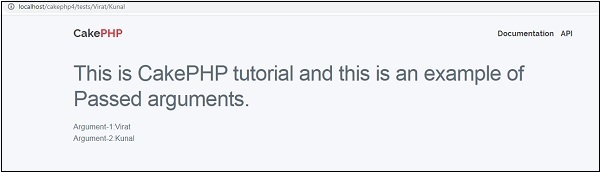
<h1>This is CakePHP tutorial and this is an example of Passed arguments.</h1>
<?php
   echo "Argument-1:".$argument1."<br/>";
   echo "Argument-2:".$argument2."<br/>";
?>
透過訪問以下 URL https:///cakephp4/tests/Virat/Kunal 來執行上述示例。
輸出
執行後,上述 URL 將產生以下輸出。
生成 URL
這是 CakePHP 的一個很酷的功能。使用生成的 URL,我們可以輕鬆更改應用程式中 URL 的結構,而無需修改整個程式碼。
url( string|array|null $url null , boolean $full false )
上述函式將接收兩個引數:
第一個引數是一個數組,指定以下任何一個:'controller'、'action'、'plugin'。此外,您還可以提供路由元素或查詢字串引數。如果為字串,則可以將其指定為任何有效的 URL 字串。
如果為真,則將在結果前加上完整的基 URL。預設為假。
示例
按照以下程式所示修改config/routes.php檔案。
config/routes.php
<?php
use Cake\Http\Middleware\CsrfProtectionMiddleware;
use Cake\Routing\Route\DashedRoute;
use Cake\Routing\RouteBuilder;
$routes->setRouteClass(DashedRoute::class);
$routes->scope('/', function (RouteBuilder $builder) {
   // Register scoped middleware for in scopes.
   $builder->registerMiddleware('csrf', new CsrfProtectionMiddleware([
      'httpOnly' => true,
   ]));
   $builder->applyMiddleware('csrf');
   $builder->connect('/generate',['controller'=>'Generates','action'=>'show']);
   $builder->fallbacks();
});
在src/Controller/GeneratesController.php處建立一個GeneratesController.php檔案。將以下程式碼複製到控制器檔案中。
src/Controller/GeneratesController.php
<?php
declare(strict_types=1);
namespace App\Controller;
21
use Cake\Core\Configure;
use Cake\Http\Exception\ForbiddenException;
use Cake\Http\Exception\NotFoundException;
use Cake\Http\Response;
use Cake\View\Exception\MissingTemplateException;
class GeneratesController extends AppController {
   public function show()
   {
   }
}
在src/Template下建立一個名為Generates的資料夾,並在該資料夾下建立一個名為show.php的檢視檔案。將以下程式碼複製到該檔案中。
src/Template/Generates/show.php
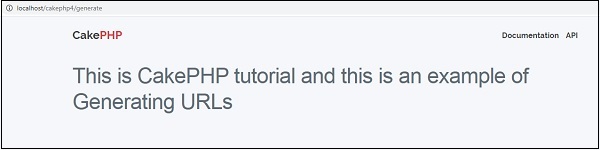
<h1>This is CakePHP tutorial and this is an example of Generating URLs<h1>
透過訪問以下 URL 執行上述示例:
https:///cakephp4/generate
輸出
上述 URL 將產生以下輸出:
重定向路由
當我們想要通知客戶端應用程式此 URL 已被移動時,重定向路由很有用。可以使用以下函式重定向 URL:
static Cake\Routing\Router::redirect($route, $url, $options =[])
上述函式有三個引數,如下所示:
描述路由模板的字串。
要重定向到的 URL。
一個數組,將路由中的命名元素與該元素應匹配的正則表示式匹配。
示例
按照以下所示修改config/routes.php檔案。這裡,我們使用了之前建立的控制器。
config/routes.php
<?php
use Cake\Http\Middleware\CsrfProtectionMiddleware;
use Cake\Routing\Route\DashedRoute;
use Cake\Routing\RouteBuilder;
$routes->setRouteClass(DashedRoute::class);
$routes->scope('/', function (RouteBuilder $builder) {
   // Register scoped middleware for in scopes.
   $builder->registerMiddleware('csrf', new CsrfProtectionMiddleware([
      'httpOnly' => true,
   ]));
   $builder->applyMiddleware('csrf');
   $builder->connect('/generate',['controller'=>'Generates','action'=>'show']);
   $builder->redirect('/redirect','https://tutorialspoint.tw/');
   $builder->fallbacks();
});
透過訪問以下 URL 執行上述示例。
URL 1 - https:///cakephp4/generate
URL 1 的輸出
URL 2 - https:///cakephp4/redirect
URL 2 的輸出
您將被重定向到 https://tutorialspoint.tw