
 資料結構
資料結構 網路
網路 RDBMS
RDBMS 作業系統
作業系統 Java
Java MS Excel
 iOS
iOS HTML
HTML CSS
CSS Android
 Python
 C 程式設計
 C++
C++ C#
C# MongoDB
 MySQL
MySQL Javascript
 PHP
PHP 物理
物理 化學
化學 生物
生物 數學
數學 英語
英語 經濟學
經濟學 心理學
心理學 社會研究
社會研究 時尚研究
時尚研究 法律研究
法律研究在 MATLAB 中自動最大化影像
MATLAB 程式設計允許我們自動最大化影像以獲得更好的可見性。為此,我們可以使用“figure”函式以及以下語法中描述的一些引數。
語法
figure('units', 'normalized', 'outerposition', [0 0 1 1]);
使用所有這些引數的“figure”命令會自動最大化影像。
以下 MATLAB 程式演示了自動最大化影像程式碼的實現。
MATLAB 程式示例
% MATLAB program for automatically maximize an image
% Read the input image
img = imread('https://tutorialspoint.tw/assets/questions/media/
14304-1687425236.jpg'); % Replace 'your_image.jpg' with the path to your image
% Display the original image in a figure window
figure, imshow(img); title('Original Image');
% Display the maximized image in another figure window
figure('units', 'normalized', 'outerposition', [0 0 1 1]), imshow(img); title('Maximized Image');
輸出
普通影像為

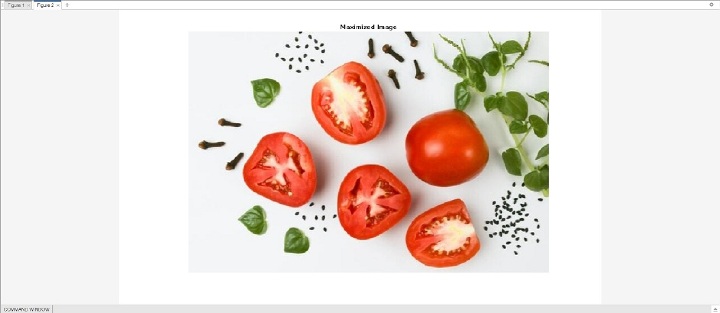
最大化後的影像為
結論
在上面的 MATLAB 程式中,我們使用“imread”函式讀取輸入影像並將其儲存在變數“img”中。然後,我們使用“imshow”函式在圖形視窗中顯示輸入影像,並使用帶有標題“原始影像”的“figure”命令。接下來,我們使用“imshow”函式顯示相同的影像,但這次我們在“figure”選項中指定了一些引數,以自動最大化影像以適應圖形視窗。此影像還分配了一個標題“最大化影像”。

更新於: 2023-07-18
131 次瀏覽

廣告