- Apache Tapestry 教程
- Apache Tapestry - 首頁
- Apache Tapestry - 概述
- Apache Tapestry - 架構
- Apache Tapestry - 安裝
- Apache Tapestry - 快速入門
- Apache Tapestry - 專案佈局
- 約定優於配置
- Apache Tapestry - 註解
- 頁面和元件
- Apache Tapestry - 模板
- Apache Tapestry - 元件
- 內建元件
- 表單和驗證元件
- Apache Tapestry - Ajax 元件
- Apache Tapestry - Hibernate
- Apache Tapestry - 儲存
- 高階特性
- Apache Tapestry 有用資源
- Apache Tapestry - 快速指南
- Apache Tapestry - 有用資源
- Apache Tapestry - 討論
Apache Tapestry - 內建元件
本章將解釋 Tapestry 帶有合適示例的內建元件。Tapestry 支援 65 多個內建元件。您還可以建立自定義元件。讓我們詳細介紹一些值得注意的元件。
如果元件
if 元件用於有條件地渲染一個塊。條件由測試引數檢查。
建立一個頁面IfSample.java,如下所示:
package com.example.MyFirstApplication.pages;

public class Ifsample {
   public String getUser() {
      return "user1";
   }
}
現在,建立一個相應的模板檔案,如下所示:
<html t:type = "newlayout" title = "About MyFirstApplication"
   xmlns:t = "http://tapestry.apache.org/schema/tapestry_5_4.xsd"
   xmlns:p = "tapestry:parameter">

   <h3>If-else component example </h3>
   <t:if test = "user">
      Hello ${user}
      <p:else>
         <h4> You are not a Tapestry user </h4>
      </p:else>
   </t:if>
</html>
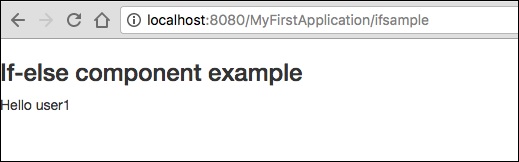
請求頁面將渲染如下所示的結果。
結果 - https://:8080/MyFirstApplication/ifsample
除非和委託元件
unless 元件與上面討論的 if 元件正好相反。而delegate 元件本身不執行任何渲染。相反,它通常將標記委託給塊元素。Unless 和 if 元件可以使用 delegate 和 block 有條件地交換動態內容。
建立一個頁面Unless.java,如下所示。
package com.example.MyFirstApplication.pages;

import org.apache.tapestry5.Block;
import org.apache.tapestry5.annotations.Property;
import org.apache.tapestry5.ioc.annotations.Inject;
import org.apache.tapestry5.PersistenceConstants;
import org.apache.tapestry5.annotations.Persist;

public class Unless {
   @Property
   @Persist(PersistenceConstants.FLASH)
   private String value;
   @Property
   private Boolean bool;
   @Inject
   Block t, f, n;

   public Block getCase() {
      if (bool == Boolean.TRUE ) {
         return t;
      } else {
         return f;
      }
   }
}
現在,建立一個相應的模板檔案,如下所示:
<html t:type = "newlayout" title = "About MyFirstApplication"
   xmlns:t = "http://tapestry.apache.org/schema/tapestry_5_4.xsd"
   xmlns:p = "tapestry:parameter">

   <h4> Delegate component </h4>
   <div class = "div1">
      <t:delegate to = "case"/>
   </div>
   <h4> If-Unless component </h4>

   <div class = "div1">
      <t:if test = "bool">
         <t:delegate to = "block:t"/>
      </t:if>
      <t:unless test = "bool">
         <t:delegate to = "block:notT"/>
      </t:unless>
   </div>

   <t:block id = "t">
      bool == Boolean.TRUE.
   </t:block>

   <t:block id = "notT">
      bool = Boolean.FALSE.
   </t:block>

   <t:block id = "f">
      bool == Boolean.FALSE.
   </t:block>
</html>
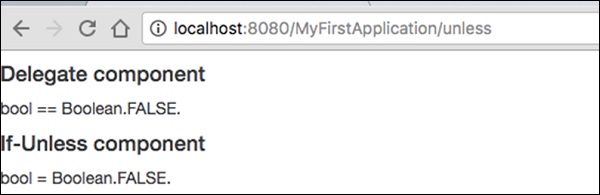
請求頁面將渲染如下所示的結果。
結果 - https://:8080/MyFirstApplication/unless
迴圈元件
迴圈元件是遍歷集合項併為每個值/迭代渲染主體最基本的元件。
建立一個迴圈頁面,如下所示:
Loop.java
package com.example.MyFirstApplication.pages;

import org.apache.tapestry5.annotations.Property;
public class Loop {
   @Property
   private int i;
}
然後,建立相應的模板 Loop.tml
Loop.tml
<html t:type = "newlayout" title = "About MyFirstApplication"
   xmlns:t = "http://tapestry.apache.org/schema/tapestry_5_4.xsd"
   xmlns:p = "tapestry:parameter">

   <p>This is sample parameter rendering example...</p>
   <ol>
      <li t:type = "loop" source = "1..5" value = "var:i">${var:i}</li>
   </ol>
</html>
Loop 元件具有以下兩個引數:
source - 集合源。1…5 是用於建立具有指定範圍的陣列的屬性擴充套件。
var - 渲染變數。用於在模板的主體中渲染當前值。
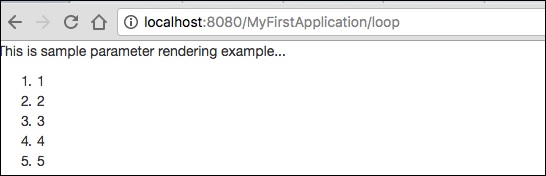
請求頁面將渲染如下所示的結果:
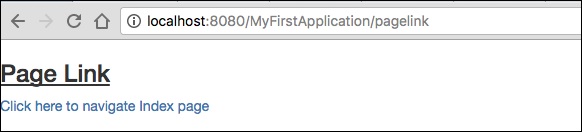
PageLink 元件
PageLink 元件用於從一個頁面連結到另一個頁面。建立一個 PageLink 測試頁面,如下所示:PageLink.java。
package com.example.MyFirstApplication.pages;
   public class PageLink {
}
然後,建立一個相應的模板檔案,如下所示:
PageLink.tml
<html t:type = "newlayout" title = "About MyFirstApplication"
   xmlns:t = "http://tapestry.apache.org/schema/tapestry_5_4.xsd"
   xmlns:p = "tapestry:parameter">

   <body>
      <h3><u>Page Link</u> </h3>
      <div class = "page">
         <t:pagelink page = "Index">Click here to navigate Index page</t:pagelink>
         <br/>
      </div>
   </body>

</html>
PageLink 元件有一個 page 引數,該引數應引用目標 Tapestry 頁面。
結果 - https://:8080/myFirstApplication/pagelink
EventLink 元件
EventLink 元件透過 URL 傳送事件名稱和相應的引數。建立一個 EventsLink 頁面類,如下所示。
EventsLink.java
package com.example.MyFirstApplication.pages;

import org.apache.tapestry5.annotations.Property;
public class EventsLink {
   @Property
   private int x;
   void onActivate(int count) {
      this.x = x;
   }
   int onPassivate() {
      return x;
   }
   void onAdd(int value) {
      x += value;
   }
}
然後,建立一個相應的“EventsLink”模板檔案,如下所示:
EventsLink.tml
<html t:type = "newlayout" title = "About MyFirstApplication"
   xmlns:t = "http://tapestry.apache.org/schema/tapestry_5_4.xsd"
   xmlns:p = "tapestry:parameter">

   <h3> Event link example </h3>
   AddedCount = ${x}. <br/>
   <t:eventlink t:event = "add" t:context = "literal:1">
      Click here to add count
   </t:eventlink><br/>
</html>
EventLink 具有以下兩個引數:
Event - 在 EventLink 元件中觸發的事件的名稱。預設情況下,它指向元件的 id。
Context - 這是一個可選引數。它定義連結的上下文。
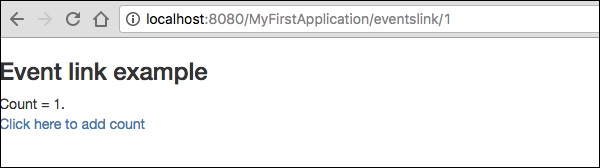
結果 - https://:8080/myFirstApplication/EventsLink
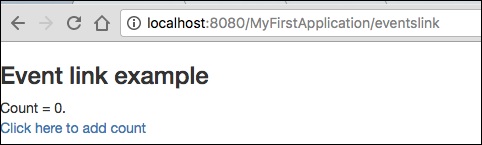
單擊計數值後,頁面將在 URL 中顯示事件名稱,如下面的輸出螢幕截圖所示。
ActionLink 元件
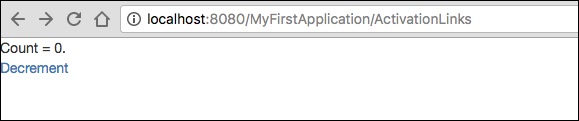
ActionLink 元件類似於 EventLink 元件,但它只發送目標元件 id。預設事件名稱為 action。
建立一個頁面“ActivationLinks.java”,如下所示,
ActivationLinks.java
package com.example.MyFirstApplication.pages;

import org.apache.tapestry5.annotations.Property;
public class ActivationLinks {
   @Property
   private int x;
   void onActivate(int count) {
      this.x = x;
   }
   int onPassivate() {
      return x;
   }
   void onActionFromsub(int value) {
      x -= value;
   }
}
現在,建立一個相應的模板檔案,如下所示:
ActivationLinks.tml
<html t:type = "Newlayout" title = "About MyFirstApplication"
   xmlns:t = "http://tapestry.apache.org/schema/tapestry_5_4.xsd"
   xmlns:p = "tapestry:parameter">

   <div class = "div1">
      Count = ${count}. <br/>
      <t:actionlink t:id = "sub" t:context = "literal:1">
         Decrement
      </t:actionlink><br/>
   </div>

</html>
在這裡,當單擊 ActionLink 元件時,將呼叫OnActionFromSub 方法。
結果 - https://:8080/myFirstApplication/ActivationsLink
Alert 元件
警報對話方塊主要用於向用戶發出警告訊息。例如,如果輸入欄位需要一些必填文字,但使用者未提供任何輸入,則作為驗證的一部分,您可以使用警報框發出警告訊息。
建立一個頁面“Alerts”,如下面的程式所示。
Alerts.java
package com.example.MyFirstApplication.pages;

public class Alerts {
   public String getUser() {
      return "user1";
   }
}
然後,建立一個相應的模板檔案,如下所示:
Alerts.tml
<html t:type = "Newlayout" title = "About MyFirstApplication"
   xmlns:t = "http://tapestry.apache.org/schema/tapestry_5_4.xsd"
   xmlns:p = "tapestry:parameter">

   <h3>Alerts</h3>
   <div class = "alert alert-info">
      <h5> Welcome ${user} </h5>
   </div>

</html>
Alert 有三個嚴重級別,分別是:
- 資訊
- 警告
- 錯誤
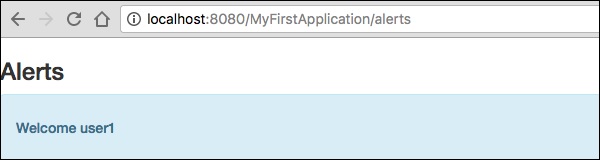
上面的模板是使用資訊警報建立的。它定義為alert-info。您可以根據需要建立其他嚴重級別。
請求頁面將產生以下結果:
https://:8080/myFirstApplication/Alerts