
Angular Google Charts - 基本直方圖
下面是一個基本直方圖的示例。
我們已在 Google 圖表配置語法 章節中看到了用於繪製圖表所需的配置。現在,我們來看一個基本直方圖的示例。
配置
我們使用了 Histogram 類來顯示直方圖。
type = 'Histogram';
示例
app.component.ts
import { Component } from '@angular/core';
@Component({
   selector: 'app-root',
   templateUrl: './app.component.html',
   styleUrls: ['./app.component.css']
})
export class AppComponent {
   title = 'Students height, in cm';
   type = 'Histogram';
   data = [
      ["1", 80],["2", 55],["3", 68],["4", 80],["5", 54],
      ["6", 70],["7", 85],["8", 78],["9", 70],["10", 58],
      ["11", 90],["12", 65],["13", 88],["14", 82],["15", 65],
      ["16", 86],["17", 45],["18", 62],["19", 84],["20", 75],
      ["21", 82],["22", 75],["23", 58],["24", 70],["25", 85]
   ];
   columnNames = ["Student Roll No", "height"];
   options = {
      legend:'none'
   };
   width = 550;
   height = 400;
}
結果
驗證結果。
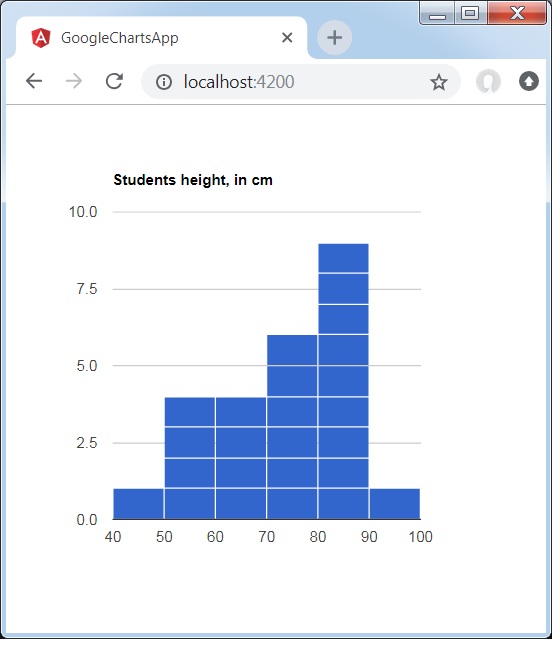
angular_googlecharts_histogram_charts.htm
廣告