
 資料結構
資料結構 網路
網路 關係型資料庫管理系統
 作業系統
作業系統 Java
Java MS Excel
 iOS
iOS HTML
HTML CSS
CSS Android
 Python
 C 程式設計
 C++
C++ C#
C# MongoDB
 MySQL
MySQL Javascript
 PHP
PHP 物理學
物理學 化學
化學 生物學
生物學 數學
數學 英語
英語 經濟學
經濟學 心理學
心理學 社會學
社會學 時尚學
時尚學 法學
法學PowerShell 中 $Lastexitcode 和 $? 變數有哪些用途?
Powershell 中的$LastExitCode 是表示最後執行的指令碼或應用程式的退出程式碼/錯誤級別的數字,$? (美元鉤子) 也表示最後一條命令的成功或失敗。一般來說,兩者表示相同的內容,但輸出方式不同。第一個命令的輸出以數字格式(0 和 1) 輸出,而後一個命令的輸出則以布林(真或假)格式輸出。
例如,
PS C:\WINDOWS\system32> $LASTEXITCODE
0
PS C:\WINDOWS\system32> $?
True
如你所見,輸出中0 表示 $LastExitCode 命令的成功狀態,而$? 為真。
現在,如果該命令無法成功執行,那麼你會得到這兩個命令的什麼輸出。檢視下面的示例。
PS C:\WINDOWS\system32> ping anyhost.test
Ping request could not find host anyhost.test. Please check the name and try
again.
PS C:\WINDOWS\system32> $LASTEXITCODE
1
PS C:\WINDOWS\system32> $?
True
如果你在執行過程中終止了任何命令的輸出,$lastexitcode 將會不同,但$? 命令的輸出將為真,因為該命令存在並且它能夠解析域名。
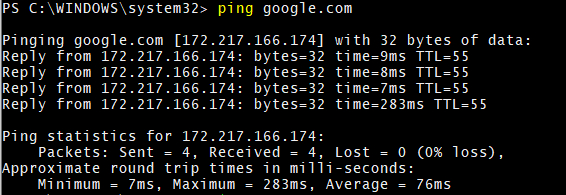
PS C:\WINDOWS\system32> ping google.com

Pinging google.com [172.217.166.174] with 32 bytes of data:
Reply from 172.217.166.174: bytes=32 time=30ms TTL=55

Ping statistics for 172.217.166.174:
Packets: Sent = 1, Received = 1, Lost = 0 (0% loss),
Approximate round trip times in milli-seconds:
Minimum = 30ms, Maximum = 30ms, Average = 30ms
Control-C
PS C:\WINDOWS\system32> $LASTEXITCODE
-1073741510
PS C:\WINDOWS\system32> $?
True

更新於: 2020-05-27
超過 6K 次瀏覽

廣告