
- Swing 程式設計例項
- 例項 - 主頁
- 例項 - 環境設定
- 例項 - 邊框
- 例項 - 按鈕
- 例項 - 複選框
- 例項 - 組合框
- 例項 - 顏色選擇器
- 例項 - 對話方塊
- 例項 - 編輯器窗格
- 例項 - 檔案選取器
- 例項 - 格式化文字欄位
- 例項 - 框架
- 例項 - 列表
- 例項 - 佈局
- 例項 - 選單
- 例項 - 密碼欄位
- 例項 - 進度條
- 例項 - 滾動窗格
- 例項 - 滑塊
- 例項 - 旋轉器
- 例項 - 表格
- 例項 - 工具欄
- 例項 - 樹
- Swing 實用資源
- Swing - 快速指南
- Swing - 實用資源
- Swing - 討論
Swing 例項 - 在列表框中顯示輸入對話方塊
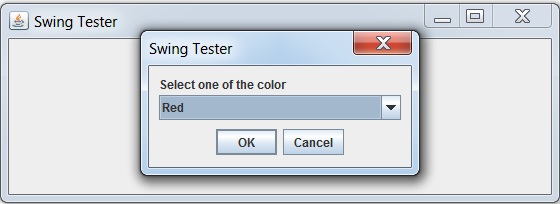
以下例項演示如何在基於 swing 的應用程式中的對話方塊中從列表獲取使用者輸入。
我們正在使用以下 API。
JOptionPane − 建立標準對話方塊。
JOptionPane.showInputDialog() − 顯示帶輸入選項的訊息提示框。
options − 將輸入設定為列表。
例項
import java.awt.BorderLayout;
import java.awt.FlowLayout;
import java.awt.LayoutManager;
import java.awt.event.ActionEvent;
import java.awt.event.ActionListener;

import javax.swing.JButton;
import javax.swing.JFrame;
import javax.swing.JLabel;
import javax.swing.JOptionPane;
import javax.swing.JPanel;

public class SwingTester {
   public static void main(String[] args) {
      createWindow();
   }

   private static void createWindow() {
      JFrame frame = new JFrame("Swing Tester");
      frame.setDefaultCloseOperation(JFrame.EXIT_ON_CLOSE);
      createUI(frame);
      frame.setSize(560, 200);
      frame.setLocationRelativeTo(null);
      frame.setVisible(true);
   }

   private static void createUI(final JFrame frame){
      JPanel panel = new JPanel();
      LayoutManager layout = new FlowLayout();
      panel.setLayout(layout);

      JButton button = new JButton("Click Me!");
      final JLabel label = new JLabel();
      button.addActionListener(new ActionListener() {
         @Override
         public void actionPerformed(ActionEvent e) {
           String[] options = {"Red", "Green", "Blue"};

           String result = (String)JOptionPane.showInputDialog(
               frame,
               "Select one of the color",
               "Swing Tester",
               JOptionPane.PLAIN_MESSAGE,
               null,
               options,
               options[0]
            );
            if(result == "Red" || result == "Green" || result == "Blue"){
               label.setText("You selected:" + result);
            }else {
               label.setText("None selected");
            }
         }
      });

      panel.add(button);
      panel.add(label);
      frame.getContentPane().add(panel, BorderLayout.CENTER);
   }
}
輸出
swingexamples_dialogs.htm
廣告