
- Swing 程式設計示例
- 示例 - 主頁
- 示例 - 環境設定
- 示例 - 邊框
- 示例 - 按鈕
- 示例 - 複選框
- 示例 - 組合框
- 示例 - 顏色選擇器
- 示例 - 對話方塊
- 示例 - 編輯器窗格
- 示例 - 檔案選擇器
- 示例 - 格式化文字欄位
- 示例 - 框架
- 示例 - 列表
- 示例 - 佈局
- 示例 - 選單
- 示例 - 密碼欄位
- 示例 - 進度條
- 示例 - 滾動窗格
- 示例 - 滑塊
- 示例 - 微調器
- 示例 - 表格
- 示例 - 工具欄
- 示例 - 樹
- Swing 有用資源
- Swing - 快速指南
- Swing - 有用資源
- Swing - 討論
Swing 示例 - 響應視窗事件
以下示例展示瞭如何在基於 Swing 的應用程式中響應視窗事件。
當用戶單擊框架的關閉按鈕時,我們可以使用以下選項。
DO_NOTHING_ON_CLOSE − 無操作。只需監聽 windowClosing 事件以執行進一步的操作。
HIDE_ON_CLOSE − 這是 JFrame 和 JDialog 的預設行為,當單擊關閉按鈕時會隱藏。
DISPOSE_ON_CLOSE − 隱藏並關閉視窗並釋放視窗使用的任何資源。
EXIT_ON_CLOSE − 使用 System.exit(0) 退出應用程式。
以下示例展示了 DO_NOTHING_ON_CLOSE 的用法。
示例
import java.awt.BorderLayout;
import java.awt.FlowLayout;
import java.awt.LayoutManager;
import java.awt.event.WindowEvent;
import java.awt.event.WindowListener;

import javax.swing.JFrame;
import javax.swing.JLabel;
import javax.swing.JPanel;

public class SwingTester {
   public static void main(String[] args) {
      createWindow();
   }

   private static void createWindow() {
      JFrame frame = new JFrame("Swing Tester");
      frame.setDefaultCloseOperation(JFrame.DO_NOTHING_ON_CLOSE);
      frame.addWindowListener(new WindowListener() {
         public void windowOpened(WindowEvent e) {}
         public void windowIconified(WindowEvent e) {}
         public void windowDeiconified(WindowEvent e) {}
         public void windowDeactivated(WindowEvent e) {}
         public void windowClosing(WindowEvent e) {
            System.exit(0);
         }
         public void windowClosed(WindowEvent e) {}
         public void windowActivated(WindowEvent e) {}
      });
      createUI(frame);
      frame.setSize(560, 200);
      frame.setLocationRelativeTo(null);
      frame.setVisible(true);
   }
   private static void createUI(JFrame frame){
      JPanel panel = new JPanel();
      LayoutManager layout = new FlowLayout();
      panel.setLayout(layout);
      panel.add(new JLabel("Hello World"));

      frame.getContentPane().add(panel, BorderLayout.CENTER);
   }
}
輸出
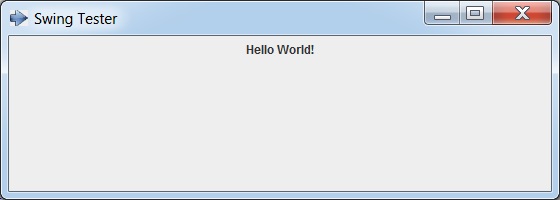
swingexamples_frames.htm
廣告