
 資料結構
資料結構 網路
網路 RDBMS
RDBMS 作業系統
作業系統 Java
Java MS Excel
 iOS
iOS HTML
HTML CSS
CSS Android
 Python
 C 程式設計
 C++
C++ C#
C# MongoDB
 MySQL
MySQL Javascript
 PHP
PHP 物理學
物理學 化學
化學 生物學
生物學 數學
數學 英語
英語 經濟學
經濟學 心理學
心理學 社會研究
社會研究 時尚研究
時尚研究 法律研究
法律研究使用 Matplotlib 儲存滑鼠點選事件座標
要將滑鼠事件座標儲存到 Matplotlib 中,我們可以使用 "button_press_event" 事件。−
步驟
- 設定圖形尺寸,並調整子圖之間的內邊距和四周內邊距。
- 建立一個圖形和一組子圖。
- 在 10 的範圍內繪製一條線
- 將函式 *onclick* 繫結到事件 *button_press_event*。
- 列印事件的 x 和 y 資料。
- 要顯示圖形,請使用 show() 方法。
示例
from matplotlib import pyplot as plt

plt.rcParams['backend'] = 'TkAgg'
plt.rcParams["figure.figsize"] = [7.50, 3.50]
plt.rcParams["figure.autolayout"] = True

# Function to print mouse click event coordinates
def onclick(event):
   print([event.xdata, event.ydata])

# Create a figure and a set of subplots
fig, ax = plt.subplots()

# Plot a line in the range of 10
ax.plot(range(10))

# Bind the button_press_event with the onclick() method
fig.canvas.mpl_connect('button_press_event', onclick)

# Display the plot
plt.show()
輸出
執行後,它將產生以下輸出
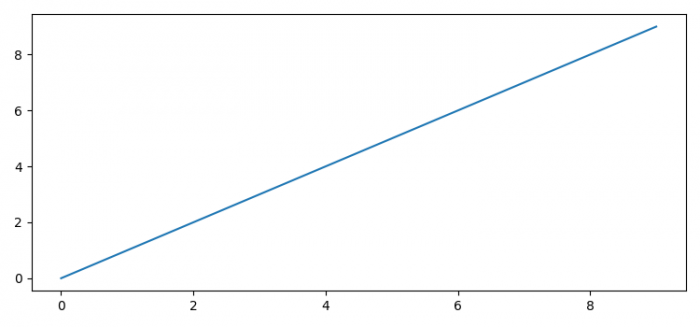
現在,點選圖中的任意位置,它將顯示控制檯中該點的座標
[6.277811659536052 6.218189947945731]
[4.9416949672083685 3.7079096112932475]
[8.221254287227506 3.4145010811941963]

更新於: 07-Oct-2021
2K+ 瀏覽量

廣告