
- Sass 教程
- Sass - 主頁
- Sass - 概述
- Sass - 安裝
- Sass - 語法
- 使用 Sass
- Sass - CSS 擴充套件
- Sass - 註釋
- Sass - 指令碼
- Sass - @ 規則和指令
- 控制指令 & 表示式
- Sass - 混合指令
- Sass - 函式指令
- Sass - 輸出樣式
- Sass 延伸
- Sass 有用資源
- Sass - 面試題
- Sass - 簡要指南
- Sass - 有用資源
- Sass - 討論
Sass - 根部指令
說明
@at-root 指令是一組巢狀規則,它能使樣式塊成為文件的根部。
@at-root(無:...)和 @at-root(有:...)
@at-root 選擇器預設排除選擇器。使用 @at-root,可以將樣式移出巢狀指令之外。
例如,使用以下程式碼建立一個 SASS 檔案 −
@media print {
   .style {
      height: 8px;
      @at-root (without: media) {
         color: #808000;;
      }
   }
}
上述程式碼將被編譯成如下所示的 CSS 檔案 −
@media print {
   .style {
      height: 8px;
   }
}

.style {
   color: #808000;
}
例項
以下示例演示了在 SCSS 檔案中使用 @at-root −
atroot.htm
<!doctype html>
   <head>
      <title>At-root Example</title>
      <link rel = "stylesheet" href = "atroot.css" type = "text/css" />
   </head>

   <body class = "container">
      <h2>Example using at-root</h2>
      <p class = "style">Lorem Ipsum is simply dummy text of the printing and typesetting industry.</p>
   </body>
</html>
然後,建立檔案 atroot.scss。
atroot.scss
h2 {
   color: #808000;
   background-color: #DB7093;

   @at-root {
      .style{
         font-size: 20px;
         font-style: bold;
         color: #B8860B;
      }
   }
}
透過使用以下命令,可以告訴 SASS 監視檔案並在 SASS 檔案發生更改時更新 CSS −
sass --watch C:\ruby\lib\sass\atroot.scss:atroot.css
然後,執行上述命令;它會自動用以下程式碼建立 atroot.css 檔案 −
atroot.css
h2 {
   color: #808000;
   background-color: #DB7093;
}
.style {
   font-size: 20px;
   font-style: bold;
   color: #B8860B;
}
輸出
讓我們執行以下步驟,看看上述程式碼如何執行 −
將上述給定的 html 程式碼儲存到 atroot.html 檔案中。
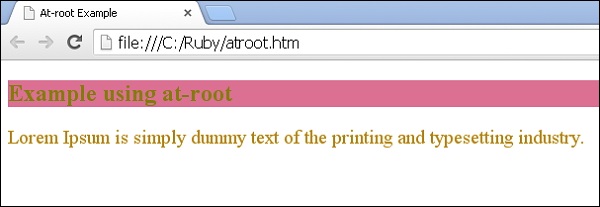
在瀏覽器中開啟此 HTML 檔案,顯示的輸出如下。
sass_rules_and_directives.htm
廣告