
 資料結構
資料結構 網路
網路 關係型資料庫管理系統
 作業系統
作業系統 Java
Java MS Excel
 iOS
iOS HTML
HTML CSS
CSS Android
 Python
 C 語言程式設計
 C++
C++ C#
C# MongoDB
 MySQL
MySQL Javascript
 PHP
PHP 物理學
物理學 化學
化學 生物學
生物學 數學
數學 英語
英語 經濟學
經濟學 心理學
心理學 社會學
社會學 時尚研究
時尚研究 法律研究
法律研究Python:如何使用 Tkinter 在 OptionMenu 周圍新增邊框?
要儲存 Tkinter 中文字框的內容,我們可以採取以下步驟:
建立一個 tkinter 框架例項。
使用win.geometry方法設定框架的大小。
定義一個使用者自定義方法“open_text”,以“read”模式開啟一個文字檔案。讀取文字檔案的內容並將其儲存在名為“content”的變數中。然後,使用“insert”方法將content插入文字框。
接下來,定義另一個名為“save_text”的使用者自定義方法,並在其中使用“write”方法將文字框的內容儲存到文字檔案中。
使用Text方法建立文字小部件,並指定height和width。
建立一個按鈕來呼叫open_text方法。
最後,執行應用程式視窗的mainloop。
示例
請檢視以下示例:
# Import Tkinter library
from tkinter import *

# Create an instance of Tkinter frame or window
win = Tk()

# Set the geometry of tkinter frame
win.geometry("716x300")

# Create Menu Items
options=("Cellphone", "Laptop", "Smartwatch", "Digital Camera")

# Find the length of maximum character in the option
menu_width = len(max(options, key=len))

# Create an OptionMenu
menu = OptionMenu(win, options[0], *options)
menu.config(width=menu_width, borderwidth=5, activebackground="green")

menu.pack(pady=30, ipadx=10)

win.mainloop()
輸出
執行後,將產生以下輸出:
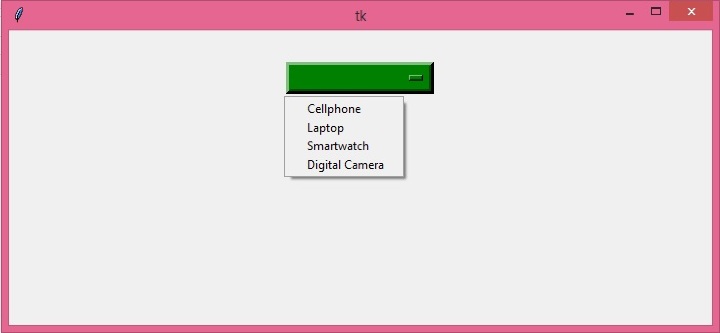

更新於: 2023年9月5日
441 次檢視

廣告