- 語言特性
- Less - 巢狀規則
- Less - 巢狀指令和冒泡
- Less - 運算
- Less - 轉義
- Less - 函式
- Less - 名稱空間和訪問器
- Less - 作用域
- Less - 註釋
- Less - 匯入
- Less - 變數
- Less - 擴充套件
- Less - Mixin
- Less - 引數化Mixin
- Less - Mixin作為函式
- Less - 向Mixin傳遞規則集
- Less - 匯入指令
- Less - 匯入選項
- Less - Mixin 保護
- Less - CSS 保護
- Less - 迴圈
- Less - 合併
- Less - 父選擇器
- 函式
- Less - 其他函式
- Less - 字串函式
- Less - 列表函式
- Less - 數學函式
- Less - 型別函式
- Less - 顏色定義函式
- Less - 顏色通道函式
- Less - 顏色運算
- Less - 顏色混合函式
- 使用
- Less - 命令列使用
- 在瀏覽器中使用 Less
- Less - 瀏覽器支援
- Less - 外掛
- Less - 程式化使用
- Less - 線上編譯器
- Less - GUI
- Less - 編輯器和外掛
- Less - 第三方編譯器
- Less - 框架
- Less 有用資源
- Less - 快速指南
- Less - 有用資源
- Less - 討論
LESS - 型別檢查函式
描述
您可以使用內建的型別檢查函式來確定匹配 mixin 的值型別。為此,您可以使用is 函式。以下是可用函式的列表:
- iscolor (是否為顏色)
- isnumber (是否為數字)
- isstring (是否為字串)
- iskeyword (是否為關鍵字)
- isurl (是否為URL)
上面列出的函式屬於基本型別檢查。您可以使用以下函式檢查值是否具有特定單位:
- ispixel (是否為畫素)
- ispercentage (是否為百分比)
- isem (是否為em)
- isunit (是否具有單位)
示例
以下示例演示了在 LESS 檔案中使用型別檢查函式:
<!doctype html>
   <head>
      <title>Type Checking Functions</title>
      <link rel = "stylesheet" href = "style.css" type = "text/css" />
   </head>

   <body>
      <h2>Example of Type Checking Functions</h2>
      <p class = "myclass">Hello World!!!Welcome to Tutorialspoint...</p>
   </body>
</html>
接下來,建立style.less檔案。
style.less
.mixin (@a; @b: red) when (iscolor(@b)){
   color:blue;
}

.mixin (@a) {
   font-size: @a;
}

.myclass { .mixin(20px) }
您可以使用以下命令將style.less編譯為style.css:
lessc style.less style.css
現在執行上述命令;它將自動建立包含以下程式碼的style.css檔案:
style.css
.myclass {
   color: blue;
   font-size: 20px;
}
輸出
按照以下步驟檢視上述程式碼的工作方式:
將上述 html 程式碼儲存到type_checking_functions.html檔案中。
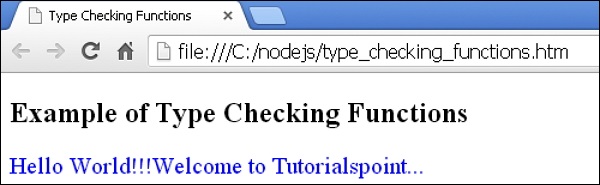
在瀏覽器中開啟此 HTML 檔案,將顯示以下輸出。
less_mixin_guards.htm
廣告