
- jQuery 教程
- jQuery - 首頁
- jQuery - 路線圖
- jQuery - 概述
- jQuery - 基礎
- jQuery - 語法
- jQuery - 選擇器
- jQuery - 事件
- jQuery - 屬性
- jQuery - AJAX
- jQuery DOM 操作
- jQuery - DOM
- jQuery - 新增元素
- jQuery - 刪除元素
- jQuery - 替換元素
- jQuery CSS 操作
- jQuery - CSS 類
- jQuery - 尺寸
- jQuery - CSS 屬性
- jQuery 效果
- jQuery - 效果
- jQuery - 動畫
- jQuery - 鏈式呼叫
- jQuery - 回撥函式
- jQuery 遍歷
- jQuery - 遍歷
- jQuery - 遍歷祖先節點
- jQuery - 遍歷後代節點
- jQuery UI
- jQuery - 互動
- jQuery - 小部件
- jQuery - 主題
- jQuery 參考
- jQuery - 選擇器
- jQuery - 事件
- jQuery - 效果
- jQuery - HTML/CSS
- jQuery - 遍歷
- jQuery - 雜項
- jQuery - 屬性
- jQuery - 工具函式
- jQuery 外掛
- jQuery - 外掛
- jQuery - PagePiling.js
- jQuery - Flickerplate.js
- jQuery - Multiscroll.js
- jQuery - Slidebar.js
- jQuery - Rowgrid.js
- jQuery - Alertify.js
- jQuery - Progressbar.js
- jQuery - Slideshow.js
- jQuery - Drawsvg.js
- jQuery - Tagsort.js
- jQuery - LogosDistort.js
- jQuery - Filer.js
- jQuery - Whatsnearby.js
- jQuery - Checkout.js
- jQuery - Blockrain.js
- jQuery - Producttour.js
- jQuery - Megadropdown.js
- jQuery - Weather.js
- jQuery 有用資源
- jQuery - 問答
- jQuery - 快速指南
- jQuery - 有用資源
- jQuery - 討論
jQuery event.which 屬性
jQuery 的event.which屬性用於確定在鍵盤或滑鼠事件期間按下鍵盤或滑鼠的特定鍵或按鈕。
它規範化了 event.keyCode 和 event.charCode,但大多數情況下建議對於鍵盤輸入使用 event.which。
語法
以下是 jQuery event.which 屬性的語法:
event.which
引數
此方法不接受任何引數。
返回值
此屬性返回按下的特定鍵盤鍵或滑鼠按鈕。
示例 1
以下程式演示了 jQuery event.which 屬性的使用:
<!DOCTYPE html>
<html>
<head>
    <script src="https://ajax.googleapis.com/ajax/libs/jquery/1.7/jquery.min.js"></script>
    <style>
        div{
            color: green;
            font-size: 20px;
            font-weight: bolder;
        }
    </style>
</head>
<body>
    <p>Click on the below text.</p>
    <div>Tutorialspoint</div>
    <script>
        $('div').click(function(event){
            alert("The pressed mouse key is: " + event.which);
        })
    </script>
</body>
</html>
輸出
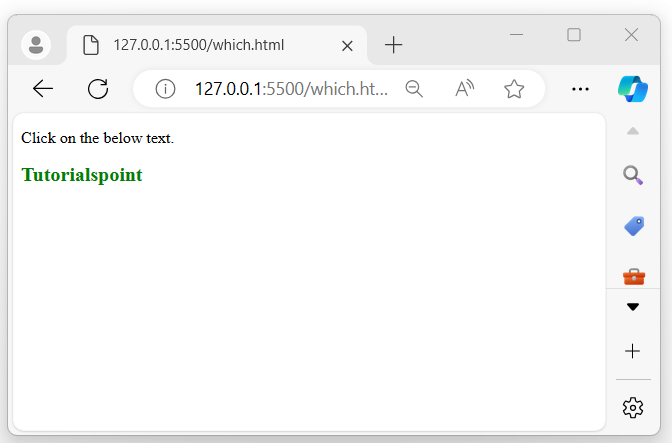
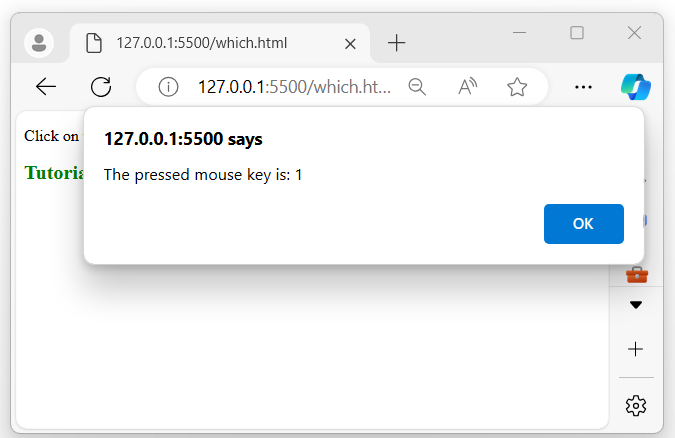
以上程式顯示了一個包含一些文字的 p 元素,當滑鼠指標單擊它時,瀏覽器螢幕上將出現一個彈出警報,顯示您按下了哪個滑鼠按鈕:
當滑鼠單擊顯示的文字時:
示例 2
以下是 jQuery event.which 屬性的另一個示例。我們使用此方法來檢索輸入框內按下的哪個鍵盤或滑鼠鍵:
<!DOCTYPE html>
<html>
<head>
    <script src="https://ajax.googleapis.com/ajax/libs/jquery/1.7/jquery.min.js"></script>
    <style>
    fieldset{
        border: 2px solid green;
        padding: 10px;
        width: 300px;
    }
    div span{
        margin: 20px 10px;
    }
    </style>
</head>
<body>
    <fieldset>
        <legend>MyForm</legend>
        Name: <input type="text" placeholder="Enter your name.."><br>
        <span></span>
    </fieldset>
    <script>
        $(document).ready(function(){
            $('input').keydown(function(event){
                $('span').text("Key pressed: " + event.which);
            });
        })
    </script>
</body>
</html>
輸出
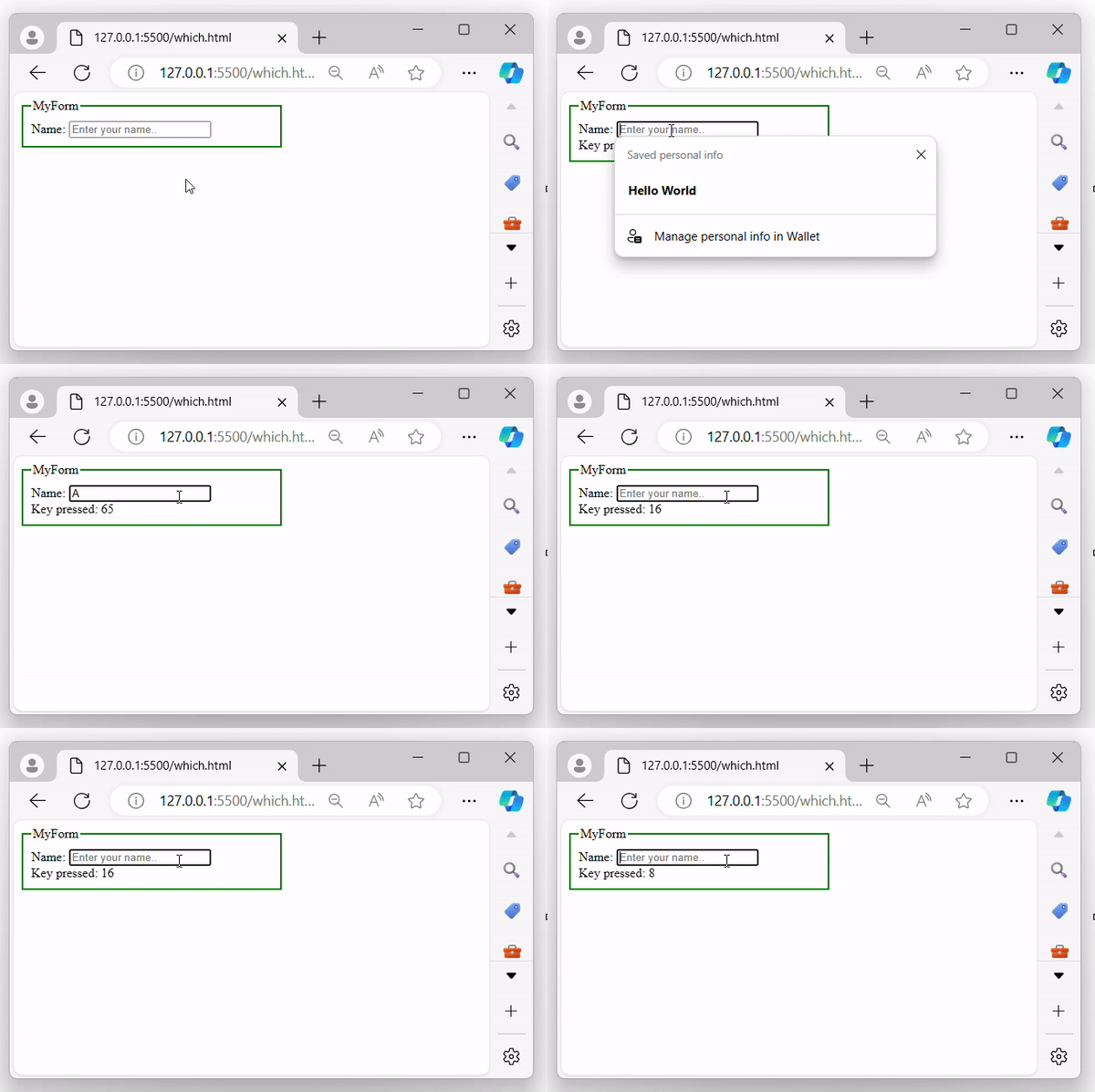
執行上述程式後,它將顯示一個包含輸入框的表單,當用戶開始在輸入框中輸入內容時,其旁邊將顯示相應的按下鍵:
jquery_ref_events.htm
廣告