

- jQuery 教程
- jQuery - 首頁
- jQuery - 路線圖
- jQuery - 概述
- jQuery - 基礎
- jQuery - 語法
- jQuery - 選擇器
- jQuery - 事件
- jQuery - 屬性
- jQuery - AJAX
- jQuery DOM 操作
- jQuery - DOM
- jQuery - 新增元素
- jQuery - 刪除元素
- jQuery - 替換元素
- jQuery CSS 操作
- jQuery - CSS 類
- jQuery - 尺寸
- jQuery - CSS 屬性
- jQuery 效果
- jQuery - 效果
- jQuery - 動畫
- jQuery - 鏈式呼叫
- jQuery - 回撥函式
- jQuery 遍歷
- jQuery - 遍歷
- jQuery - 遍歷祖先節點
- jQuery - 遍歷子孫節點
- jQuery UI
- jQuery - 互動
- jQuery - 小部件
- jQuery - 主題
- jQuery 參考
- jQuery - 選擇器
- jQuery - 事件
- jQuery - 效果
- jQuery - HTML/CSS
- jQuery - 遍歷
- jQuery - 雜項
- jQuery - 屬性
- jQuery - 實用工具
- jQuery 外掛
- jQuery - 外掛
- jQuery - PagePiling.js
- jQuery - Flickerplate.js
- jQuery - Multiscroll.js
- jQuery - Slidebar.js
- jQuery - Rowgrid.js
- jQuery - Alertify.js
- jQuery - Progressbar.js
- jQuery - Slideshow.js
- jQuery - Drawsvg.js
- jQuery - Tagsort.js
- jQuery - LogosDistort.js
- jQuery - Filer.js
- jQuery - Whatsnearby.js
- jQuery - Checkout.js
- jQuery - Blockrain.js
- jQuery - Producttour.js
- jQuery - Megadropdown.js
- jQuery - Weather.js
- jQuery 有用資源
- jQuery - 問答
- jQuery - 快速指南
- jQuery - 有用資源
- jQuery - 討論
jQuery 事件 focusout() 方法
jQuery 事件 focusout() 方法用於將事件處理程式繫結到 focusout 事件,或在選定的元素上觸發該事件。當元素或元素內部的任何元素失去焦點時,就會發生此事件。
此方法主要用於驗證目的,在使用者離開表單欄位時觸發。
語法
以下是 jQuery 事件 focusout() 方法的語法:
$(selector).focusout(function)
引數
此方法接受一個可選的引數作為函式,如下所述:
- function − 當 focusout 事件發生時要執行的可選函式。
返回值
此方法不返回值,而是將事件處理程式繫結到 focusout 事件。
示例 1
當 div 元素失去焦點時更改其背景顏色:
<!DOCTYPE html>
<html>
<head>
<script src="https://ajax.googleapis.com/ajax/libs/jquery/1.7/jquery.min.js"></script>
<style>
    div{
        width: 30%;
        padding: 10px;
        border: 1px solid red;
    }
	input{
        width: 70%;
    }
</style>
</head>
<body>
    <div>
        <p>Change the bachground color, when loses focus.</p>
        <label for="">Name:</label>
        <input type="text">
    </div>
    <script>
       $("div").focusout(function() {
        $(this).css({"background-color":"green", "color":"white"});
    });
    </script>
</body>
</html>
輸出
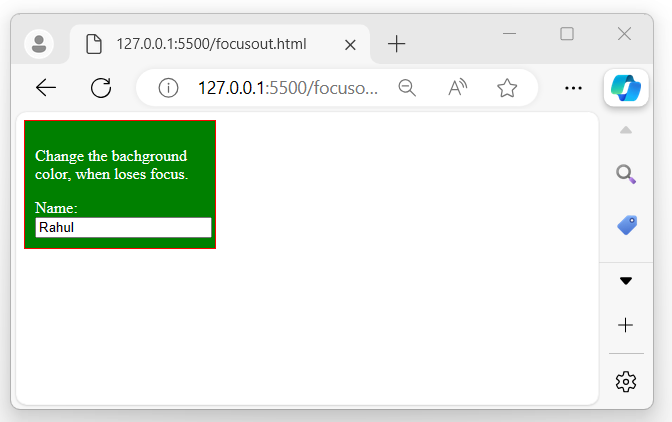
上述程式顯示一個包含輸入欄位的 div 框,當用戶單擊輸入並離開 div 元素時,div 元素的背景顏色變為綠色:
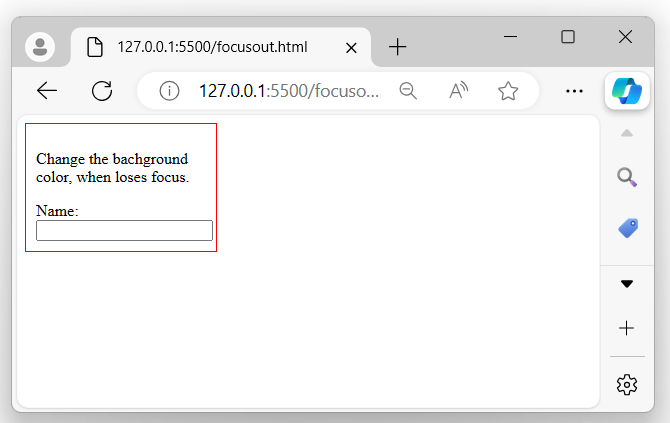
當用戶從 div 元素失去焦點時:
示例 2
驗證表單欄位失去焦點時的值。
以下示例演示了 jQuery 事件 focusout() 方法的用法。我們使用此方法來驗證使用者輸入某些內容並失去焦點時的表單欄位:
<!DOCTYPE html>
<html>
<head>
<script src="https://ajax.googleapis.com/ajax/libs/jquery/1.7/jquery.min.js"></script>
</head>
<style>
    label, input, button{
        display: block;
        padding: 10px 5px;
    }
    input{
        width: 200px;
    }
    button{
        margin: 10px 0px;
        padding: 10px 20px;
    }
</style>
<body>
    <form>
        <h2>Login Form</h2>
        <label for="">Username: </label>
        <input type="text">
        <label for="">Password: </label>
        <input type="password">
        <button>Login</button>
    </form>
    <script>
        $('input').focusout(function(){
            let data = $(this).val();
            if(data.length < 5){
                $(this).css({"background-color": "red", "border":"1px solid red"});
            }
            else{
                $(this).css({"background-color": "green", "border":"1px solid green"});
            }
        })
    </script>
</body>
</html>
輸出
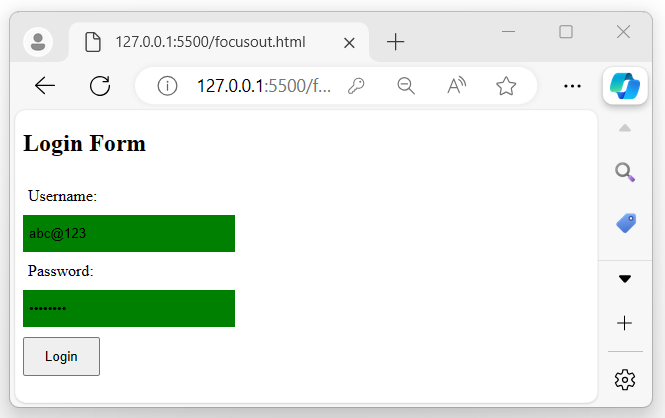
執行程式後,將顯示一個帶有兩個輸入欄位和一個按鈕的表單。如果輸入值的長度小於 5,則輸入欄位的背景顏色將變為“紅色”;否則,將變為“綠色”:
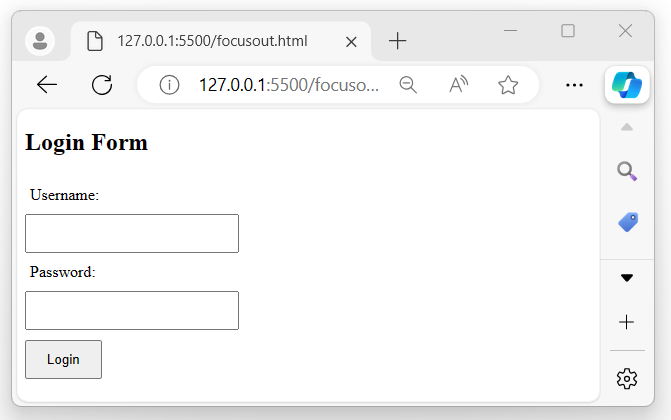
如果輸入的值不滿足給定的條件:
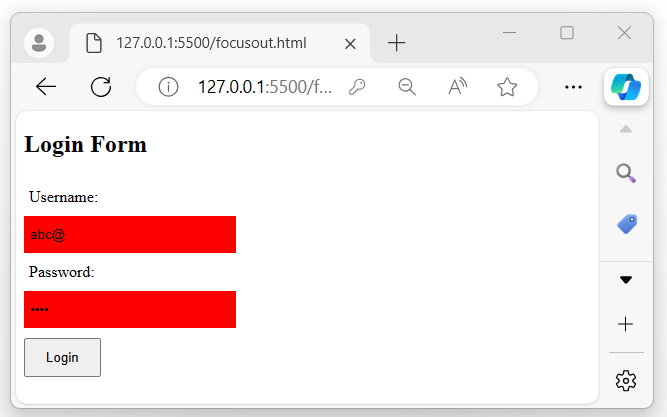
如果輸入的值滿足給定的條件:
示例 3
在不使用可選 function 的情況下使用 focusout() 方法。
在下面的示例中,我們使用帶有輸入欄位的 focusout() 方法,以便在程式執行後將其顯示為未獲得焦點的輸入欄位:
<!DOCTYPE html>
<html>
<head>
<script src="https://ajax.googleapis.com/ajax/libs/jquery/1.7/jquery.min.js"></script>
</head>
<body>
    <p>The below input field loses its focus.</p>
    <input type="text" placeholder="Name">
    <script>
        $('input').focusout();
    </script>
</body>
</html>
輸出
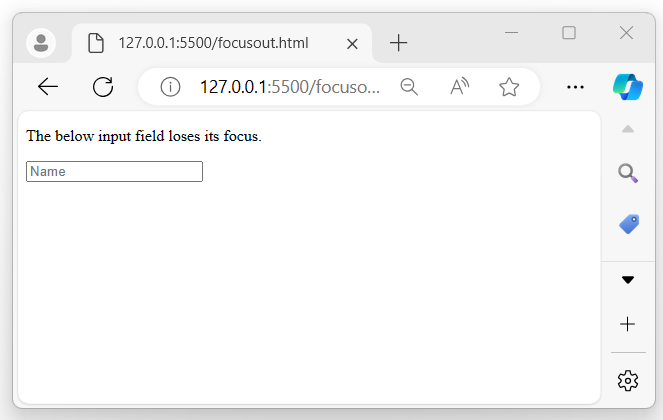
執行上述程式後,將顯示一個未獲得焦點的輸入欄位:
jquery_ref_events.htm
廣告