
 資料結構
資料結構 網路
網路 關係資料庫管理系統
 作業系統
作業系統 Java
Java MS Excel
 iOS
iOS HTML
HTML CSS
CSS Android
 Python
 C 程式設計
 C++
C++ C#
C# MongoDB
 MySQL
MySQL Javascript
 PHP
PHP 物理學
物理學 化學
化學 生物
生物 數學
數學 英語
英語 經濟學
經濟學 心理學
心理學 社會科學
社會科學 時裝學
時裝學 法學
法學如何在 JavaFX 中設定影像為超連結?
超連結是一個響應單擊和滾動的 UI 元件。你可以透過例項化 javafx.scene.control.Hiperlink 類來建立一個超連結。可以使用 setGraphic() 方法將影像設定為超連結。
示例
import java.io.FileInputStream;
import java.io.FileNotFoundException;
import java.io.InputStream;
import javafx.application.Application;
import javafx.geometry.Insets;
import javafx.scene.Group;
import javafx.scene.Scene;
import javafx.scene.control.Hyperlink;
import javafx.scene.image.Image;
import javafx.scene.image.ImageView;
import javafx.scene.layout.VBox;
import javafx.scene.paint.Color;
import javafx.stage.Stage;
public class HyperLinkSettingGraphic extends Application {
   public void start(Stage stage) throws FileNotFoundException {
      //Creating a hyper link
      Hyperlink link = new Hyperlink();
      //Creating a graphic
      ImageView view = new ImageView();
      InputStream stream = new FileInputStream("D:\images\logo.jpg");
      Image image = new Image(stream);
      view.setImage(image);
      view.setFitHeight(100);
      view.setFitWidth(200);
      //Setting the graphic to the hyperlink
      link.setGraphic(view);
      //Creating a vbox to hold the pagination
      VBox vbox = new VBox();
      vbox.setSpacing(5);
      vbox.setPadding(new Insets(50, 50, 50, 170));
      vbox.getChildren().addAll(link);
      //Setting the stage
      Group root = new Group(vbox);
      Scene scene = new Scene(root, 595, 200, Color.BEIGE);
      stage.setTitle("Hyperlink");
      stage.setScene(scene);
      stage.show();
   }
   public static void main(String args[]){
      launch(args);
   }
}
輸出
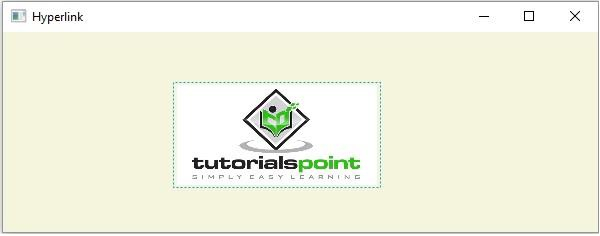

更新於: 19-5-2020
505 次瀏覽

廣告