
 資料結構
資料結構 網路
網路 RDBMS
RDBMS 作業系統
作業系統 Java
Java MS Excel
 iOS
iOS HTML
HTML CSS
CSS 安卓
安卓 Python
 C 程式設計
 C++
C++ C#
C# MongoDB
 MySQL
MySQL JavaScript
 PHP
PHP 物理學
物理學 化學
化學 生物學
生物學 數學
數學 英語
英語 經濟學
經濟學 心理學
心理學 社會研究
社會研究 時尚研究
時尚研究 法律研究
法律研究如何在 Tkinter 中將視窗焦點保持在新 Toplevel() 視窗中?
Tkinter toplevel 類包含 toplevel 視窗,它是除主視窗以外的子視窗。每當我們建立一個 toplevel 視窗時,它只會顯示在主視窗之上以及其中定義的小部件。
為了使 toplevel 視窗保持焦點,我們可以使用 grab_set() 方法。它始終讓 toplevel 視窗位於所有其他視窗之上。
例項
#Import the tkinter library
from tkinter import *

#Create an instance of tkinter frame
win = Tk()
win.geometry("700x350")

def open_win():
   top = Toplevel(win)
   top.geometry("700x250")
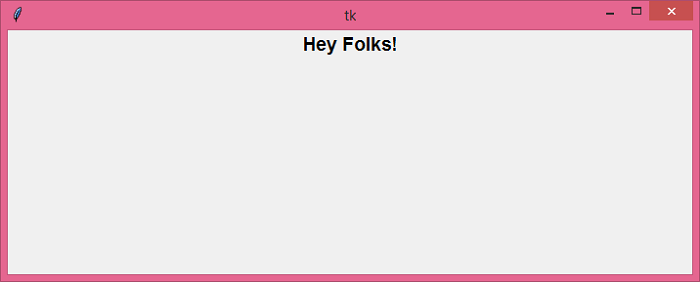
   Label(top, text= "Hey Folks!", font= ('Helvetica 14 bold')).pack()
   top.grab_set()

#Create a Label to print the Name
label= Label(win, text="Click the below Button to open the Popup", font= ('Helvetica 18 bold'))
label.pack(pady= 30)

#Create a Button
button= Button(win, text= "Click Me", command= open_win, font= ('Helvetica 14 bold'), foreground= 'OrangeRed3', background= "white")
button.pack(pady=50)
win.mainloop()
輸出
執行以上程式碼將顯示一個包含一個用於開啟彈出視窗的按鈕的視窗。

現在,單擊該按鈕以開啟一個彈出視窗。

更新時間: 2021 年 5 月 25 日
6K+ 瀏覽量

廣告