
 資料結構
資料結構 網路
網路 RDBMS
RDBMS 作業系統
作業系統 Java
Java MS Excel
 iOS
iOS HTML
HTML CSS
CSS Android
 Python
 C 程式設計
 C++
C++ C#
C# MongoDB
 MySQL
MySQL Javascript
 PHP
PHP 物理
物理 化學
化學 生物
生物 數學
數學 英語
英語 經濟學
經濟學 心理學
心理學 社會科學
社會科學 時尚研究
時尚研究 法律研究
法律研究如何清除 Tkinter 文字小部件的內容?
Tkinter 文字小部件用於在應用程式中新增文字編輯器。它具有許多屬性,可用於擴充套件文字編輯器的功能。為了刪除輸入內容,我們可以使用 delete("start", "end") 方法。
示例
#Import the tkinter library
from tkinter import *

#Create an instance of tkinter frame
win = Tk()

#Set the geometry
win.geometry("600x250")

#Define a function to clear the input text
def clearToTextInput():
   my_text.delete("1.0","end")

#Create a text widget
my_text=Text(win, height=10)
my_text.pack()

#Create a Button
btn=Button(win,height=1,width=10, text="Clear",command=clearToTextInput)
btn.pack()

#Display the window without pressing key
win.mainloop()
輸出
執行上述程式碼將建立一個文字小部件和一個按鈕,可用於清除輸入文字。
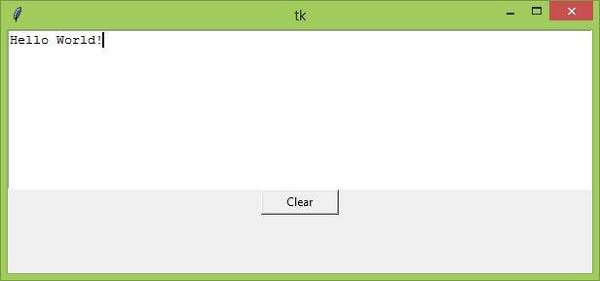
現在點選“清除”按鈕,它將清除輸入文字。

更新於: 2021 年 3 月 26 日
21000+ 次觀看

廣告