
 資料結構
資料結構 網路
網路 RDBMS
RDBMS 作業系統
作業系統 Java
Java MS Excel
 iOS
iOS HTML
HTML CSS
CSS Android
 Python
 C 語言程式設計
 C++
C++ C#
C# MongoDB
 MySQL
MySQL JavaScript
 PHP
PHP 物理
物理 化學
化學 生物
生物 數學
數學 英語
英語 經濟學
經濟學 心理學
心理學 社會學
社會學 時尚研究
時尚研究 法律研究
法律研究如何在 Tkinter 中使用視窗管理器 (wm) 屬性?
視窗管理器是 Tcl/Tk 中提供的一個工具包,可以使用命令 'wm' 訪問。'wm' 命令允許你設定 Tkinter 視窗的外觀和幾何形狀。我們可以使用這個命令來控制標題、顏色、大小和其他屬性。'wm' 命令有許多關鍵字,可用於修改其屬性。
示例
# Import the required library
from tkinter import *
from tkinter import ttk
from tkinter import messagebox

# Create an instance of tkinter frame
win=Tk()

# Set the geometry
win.geometry("700x350")

Label(win, text="This window is disabled.",
   font=("Calibri, 24")).pack()

# Makes the window topmost
win.wm_attributes('-topmost', True)

# Makes the window transparent
win.wm_attributes('-alpha', 0.9)

# Disable the window
win.wm_attributes('-disabled', True)

# Set the geometry of the window
win.wm_geometry('700x350')

win.mainloop()
輸出
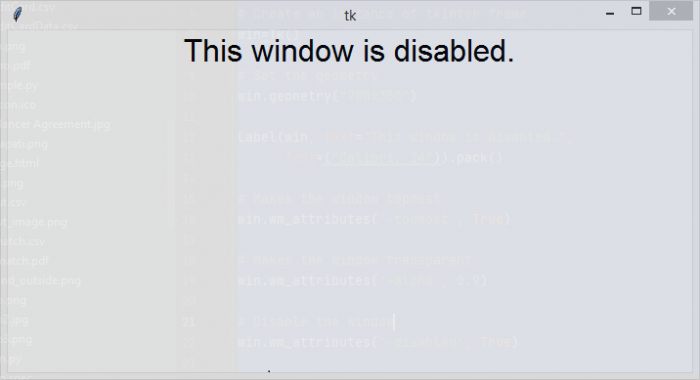
如果你執行以上程式碼,它將顯示一個置頂的透明視窗,你無法與其互動,因為視窗已使用 wm 屬性 "-disabled" 停用。

更新時間: 2021 年 8 月 5 日
超過 4K 次瀏覽

廣告