
 資料結構
資料結構 網路
網路 RDBMS
RDBMS 作業系統
作業系統 Java
Java MS Excel
 iOS
iOS HTML
HTML CSS
CSS Android
 Python
 C 程式設計
 C++
C++ C#
C# MongoDB
 MySQL
MySQL Javascript
 PHP
PHP 物理學
物理學 化學
化學 生物學
生物學 數學
數學 英語
英語 經濟學
經濟學 心理學
心理學 社會學
社會學 時尚學
時尚學 法律學
法律學如何處理 Tkinter 中的視窗關閉事件?
Tkinter 提供了一個定製的處理程式來關閉視窗。它充當一個回撥函式,使用者可以使用它來關閉視窗。
要使用處理程式關閉視窗,我們可以使用 destroy() 方法。它在任意函式或任意小元件中呼叫後立即關閉視窗。讓我們透過定義一種方法來呼叫關閉事件處理程式。
透過在小元件中作為引數使用
示例
#Importing the required library
from tkinter import *

#Create an instance of tkinter frame or window
win= Tk()

#Set the geometry
win.geometry("600x400")

#Create a button and pass arguments in command as a function name
my_button= Button(win, text= "X", font=('Helvetica bold', 20),
borderwidth=2, command= win.destroy)
my_button.pack(pady=20)

win.mainloop()
透過在函式中呼叫
#Importing the required library
from tkinter import *

#Create an instance of tkinter frame or window
win= Tk()

#Set the geometry
win.geometry("600x300")

#Define a function

def close():
   win.destroy()

#Create a button and pass arguments in command as a function name
my_button= Button(win, text= "X", font=('Helvetica bold', 20),
borderwidth=2, command= close)
my_button.pack(pady=20)

win.mainloop()
輸出
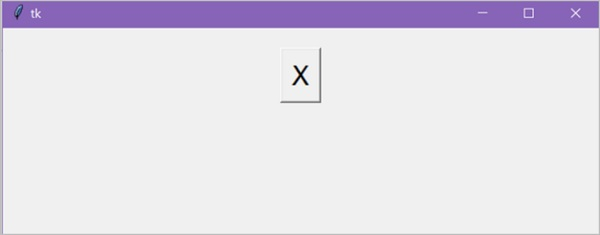
執行上述程式碼會建立一個按鈕“X”,透過單擊它,我們可以關閉主視窗。

更新時間:2021-3-27
6K+ 瀏覽次數

廣告