
- GoogleTest 教程
- GoogleTest - 首頁
- GoogleTest - 環境設定
- GoogleTest - 執行第一個測試
- GoogleTest - 命名規範
- GoogleTest - 停用測試
- GoogleTest - 斷言
- GoogleTest - Death 測試
- GoogleTest - 測試夾具
- GoogleTest - 事件監聽器
- GoogleTest 有用資源
- GoogleTest - 有用資源
- GoogleTest - 討論
GoogleTest - 執行第一個測試
在本教程中,我們將透過一個示例學習如何使用 GoogleTest 測試 C++ 程式碼。我們將學習執行基本測試所需的所有步驟、命令和方法。
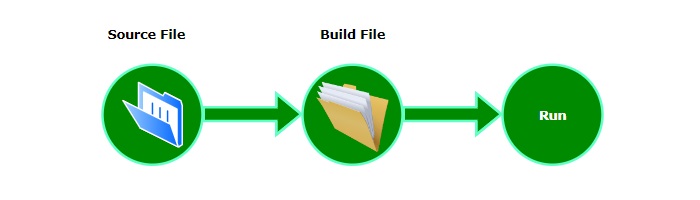
建立基本測試
按照以下步驟在 GoogleTest 中為 C++ 函式建立基本測試:
步驟 1
首先,建立一個資料夾或目錄來儲存您的專案。在系統的命令提示符中輸入以下命令來建立資料夾:
mkdir test1
這裡,我們使用資料夾名稱為“test1”。
步驟 2
建立一個“test_case.cc”檔案,其中將包含 C++ 函式及其單元測試。您可以隨意命名。
// header of the GoogleTest
#include <gtest/gtest.h>

// function for which we write unit tests
int add(int num1, int num2) {
    return num1 + num2;
}

// to test addition of positive numbers
TEST(SumTest, ForPositiveNumbers) {
    EXPECT_EQ(35, add(23, 12));
}

// to test addition of negative numbers
TEST(SumTest, ForNegativeNumbers) {
    EXPECT_EQ(-1, add(-1, 0));
}

// to test addition of positive and negative numbers
TEST(SumTest, ForMixedNumbers) {
    EXPECT_EQ(0, add(-1, 1));
}

// main() function to run all tests
int main(int argc, char **argv) {
    ::testing::InitGoogleTest(&argc, argv);
    return RUN_ALL_TESTS();
}
在上面的程式碼中,第一個單元測試檢查給定的 C++ 函式是否能夠正確處理兩個正數。第二個測試檢查add()函式是否正確地新增負數和零。最後一個單元測試檢查 add() 函式是否正確地將負數和正數相加。最後,main()函式初始化 Google Test 並執行所有測試用例。
建立“CMakeLists.txt”檔案
如前一章所述,每個 GoogleTest 專案都需要“CMakeLists.txt”檔案。在這個檔案中,我們透過使用其 github 連結來宣告對 GoogleTest 的依賴,如下所示:
cmake_minimum_required(VERSION 3.14)
project(test1)

# GoogleTest requires at least C++14
set(CMAKE_CXX_STANDARD 14)
set(CMAKE_CXX_STANDARD_REQUIRED ON)

include(FetchContent)
FetchContent_Declare(
  googletest
  URL https://github.com/google/googletest/archive/03597a01ee50ed33e9dfd640b249b4be3799d395.zip
)
# For Windows: Prevent overriding the parent project's compiler/linker settings
set(gtest_force_shared_crt ON CACHE BOOL "" FORCE)
FetchContent_MakeAvailable(googletest)

# to enable test
enable_testing()

# defining executable target and its source file
add_executable(
  test_case
  test_case.cc
)
# to link the executable with GoogleTest main library
target_link_libraries(
  test_case
  GTest::gtest_main
)

# to include GoogleTest module
include(GoogleTest)

# to discover and register all tests in the executable
gtest_discover_tests(test_case)
構建和執行測試
要構建和執行測試,請按照以下步驟操作:
步驟 1
使用以下命令導航到專案資料夾:
cd test1
步驟 2
然後,使用以下命令生成構建檔案:
cmake -S . -B build
-S 指定源目錄,為".",-B 指定構建目錄,名為"build"。
步驟 3
現在,使用上一步 CMake 生成的構建檔案來編譯和構建專案:
cmake --build build
步驟 4
移動到構建目錄:
cd build
步驟 5
最後,使用給定的命令執行所有測試:
ctest
上述命令執行在“CMakeLists.txt”檔案中使用enable_testing()命令定義的測試。
輸出
控制檯上的輸出將如下所示:
Test project D:/gTest/test1/build
    Start 1: SumTest.ForPositiveNumbers
1/3 Test #1: SumTest.ForPositiveNumbers .......   Passed    0.02 sec
    Start 2: SumTest.ForNegativeNumbers
2/3 Test #2: SumTest.ForNegativeNumbers .......   Passed    0.01 sec
    Start 3: SumTest.ForMixedNumbers
3/3 Test #3: SumTest.ForMixedNumbers ..........   Passed    0.01 sec

100% tests passed, 0 tests failed out of 3

Total Test time (real) =   0.13 sec
您可以在LastTest.log檔案中檢查每個測試的結果。此檔案位於:/build/Testing/Temporary。
廣告