
- EmberJS 教程
- EmberJS - 主頁
- EmberJS - 概述
- EmberJS - 安裝
- EmberJS - 核心概念
- 建立和執行應用程式
- EmberJS - 物件模型
- EmberJS - 路由器
- EmberJS - 模板
- EmberJS - 元件
- EmberJS - 模型
- EmberJS - 管理依賴關係
- EmberJS - 應用程式關注點
- EmberJS - 配置 Ember.js
- EmberJS - Ember 檢測器
- EmberJS 有用資源
- EmberJS - 快速指南
- EmberJS - 有用資源
- EmberJS - 討論
EmberJS - 計算機屬性
計算屬性將函式宣告為屬性,而且 Ember.js 根據需要自動呼叫計算屬性,並將一個或多個屬性組合成一個變數。
下表列出計算屬性的相關屬性 −
| 序 號 | 屬性和說明 |
|---|---|
| 1 | 連線計算屬性
連線的計算屬性用於與一個或多個預定義計算屬性聚合。 |
| 2 | 動態更新
在呼叫時動態更新計算屬性。 |
| 3 | 設定計算屬性
透過使用 setter 和 getter 方法幫助設定計算屬性。 |
示例
以下示例將計算屬性新增到 Ember.object 中,並顯示如何顯示資料 −
import Ember from 'ember';

export default function() {
   var Car = Ember.Object.extend ({

      //The values for below variables will be supplied by 'create' method
      CarName: null,
      CarModel: null,
      carDetails: Ember.computed('CarName', 'CarModel', function() {

         //returns values to the computed property function 'carDetails'
         return ' Car Name: ' + this.get('CarName') + '<br>' +
            ' Car Model: ' + this.get('CarModel');
      })
   });

   var mycar = Car.create ({
      //initializing the values of Car variables
      CarName: "Alto",
      CarModel: "800",
   });

   //Displaying the information of the car
   document.write("<h2>Details of the car: <br></h2>");
   document.write(mycar.get('carDetails'));
}
現在開啟 app.js 檔案,然後在檔案頂部新增以下行 −
import computedproperties from './computedproperties';
其中,computedproperties 是指定為 "computedproperties.js" 的檔名,並在 "app" 資料夾下建立。現在,在匯出之前,在底部呼叫繼承的 "computedproperties"。它將執行在 computedproperties.js 檔案中建立的 computedproperties 函式 −
computedproperties();
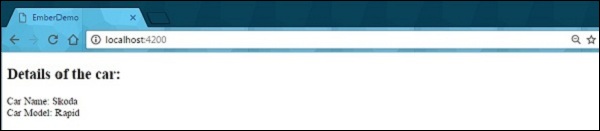
輸出
執行 ember 伺服器,您將收到以下輸出 −
emberjs_object_model.htm
廣告