
 Data Structure
 Networking
 RDBMS
RDBMS Operating System
 Java
Java MS Excel
 iOS
iOS HTML
HTML CSS
CSS Android
 Python
 C Programming
 C++
C++ C#
C# MongoDB
 MySQL
MySQL Javascript
 PHP
PHP Physics
 Chemistry
 Biology
 Mathematics
 English
 Economics
 Psychology
 Social Studies
 Fashion Studies
 Legal Studies
更改 Python 中 Tkinter 按鈕的命令方法
按鈕小部件的意義在於它用於處理事件以在應用程式中執行某些操作。為了處理此類事件,我們通常定義包含某些操作的方法。
假設我們希望在初始化按鈕後更改事件方法。我們可以使用configure(options)方法配置按鈕及其處理程式。所以,透過定義一個新方法和配置按鈕,我們可以用相同的按鈕觸發一個新事件。
示例
#Import tkinter library
from tkinter import *

#Create an instance of tkinter frame
win = Tk()

#Set the geometry
win.geometry("750x250")
#Define a function to show the text label
def text_label():
   Label(win, text= "Woohoo! An Event has occurred!", font= ('Helvetica 10 bold')).pack(pady=20)

   #Configure the Button to trigger a new event
   button.configure(command= close_win)
#Define a function to close the event
def close_win():
   win.destroy()
#Create a Button widget
button= Button(win, text= "Click", font= ('Helvetica 10 bold'), command= text_label)
button.pack(side= TOP)
win.mainloop()
輸出
執行以上程式碼會顯示一個包含一個按鈕的視窗。
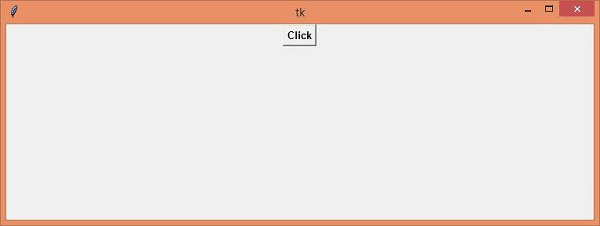
首次按下按鈕後,它將顯示一個文字標籤。
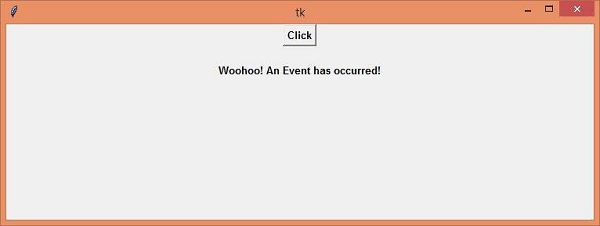
現在第二次單擊該按鈕,它將終止 TCL 直譯器。

更新於:15-Apr-2021
5K+ 瀏覽

廣告