
 Data Structure
 Networking
 RDBMS
RDBMS Operating System
 Java
Java MS Excel
 iOS
iOS HTML
HTML CSS
CSS Android
 Python
 C Programming
 C++
C++ C#
C# MongoDB
 MySQL
MySQL Javascript
 PHP
PHP 物理
物理 化學
化學 生物
生物 數學
數學 英語
英語 經濟學
經濟學 心理學
心理學 社會科學
社會科學 時尚科學
時尚科學 法律科學
法律科學用自定義彈出式 Tkinter 對話方塊的正確方法是什麼?
Tkinter 帶有許多內建函式和模組,這些函式和模組已在 Python 中實現。Tkinter 中的 MessageBox 模組就是其中一個,它可以在任何應用程式中使用,只需使用其相關函式即可。這些軟體包唯一的限制是,我們無法修改或更改 MessageBox 模板。因此,要實現自定義彈出式訊息框,我們可以按下列步驟操作:
- 建立一個按鈕,並新增一個命令來為此按鈕定義一個函式。
- 定義一個函式來建立一個頂級視窗,並在其中新增其他小部件。
- 在頂級視窗中新增按鈕和確認標籤文字。
- 新增按鈕命令,以便在主視窗中互動式地顯示一些訊息。
示例
# Import required libraries
from tkinter import *
from tkinter import ttk

# Create an instance of tkinter frame
win = Tk()
# Set the window size
win.geometry("700x250")

# Define a function to implement choice function
def choice(option):
   pop.destroy()
   if option == "yes":
      label.config(text="Hello, How are You?")
else:
   label.config(text="You have selected No")
def click_fun():
   global pop
   pop = Toplevel(win)
   pop.title("Confirmation")
   pop.geometry("700x250")
   pop.config(bg="green3")
   # Create a Label Text
   label = Label(pop, text="Would You like to Proceed?", bg="green3", fg="white", font=('Aerial', 12))
   label.pack(pady=20)
# Add a Frame
frame = Frame(pop, bg="green3")
frame.pack(pady=10)
# Add Button for making selection
button1 = Button(frame, text="Yes",
command=lambda: choice("yes"), bg="green")
button1.grid(row=0, column=1)
button2 = Button(frame, text="No",
command=lambda: choice("no"), bg="green")
button2.grid(row=0, column=2)

# Create a Label widget
label = Label(win, text="", font=('Aerial', 14))
label.pack(pady=40)

# Create a Tkinter button
ttk.Button(win, text="Click Here", command=click_fun).pack()]

win.mainloop()
輸出
執行上述程式碼將顯示帶有按鈕的視窗。
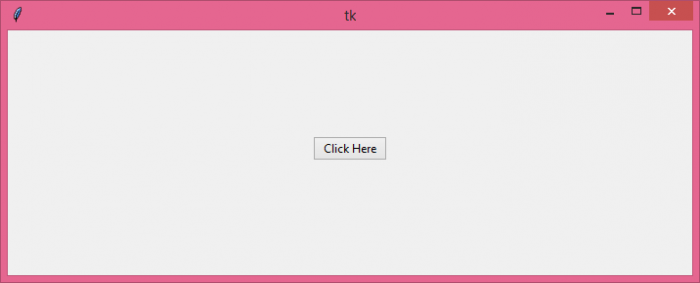
當我們單擊按鈕時,它將顯示一個自定義彈出訊息框


更新日期:07-Jun-2021
2K+ 次瀏覽

廣告