
 資料結構
資料結構 網路
網路 關係資料庫管理系統
 作業系統
作業系統 Java
Java Microsoft Excel
 iOS
iOS HTML
HTML CSS
CSS Android
 Python
 C 程式設計
 C++
C++ C#
C# MongoDB
 MySQL
MySQL Javascript
 PHP
PHP 物理
物理 化學
化學 生物
生物 數學
數學 英語
英語 經濟學
經濟學 心理學
心理學 社會研究
社會研究 時尚研究
時尚研究 法律研究
法律研究修改 Python Tkinter 中的預設字型
為了改變 tkinter 視窗小元件的預設行為,我們通常會重寫 option_add() 方法。傳遞給 option_add() 方法的屬性和值將反映應用程式中所有小元件的更改。因此,更改預設字型將影響應用程式中定義的所有小元件的字型。
示例
此處,我們將兩個引數傳遞到 option_add() 方法,即 option_add("*font", "font-family font-size font-style font-orientation")。
#Import the required libraries
from tkinter import *

#Create an instance of tkinter frame
win= Tk()

#Set the geometry of frame
win.geometry("600x400")

#Change the default Font that will affect in all the widgets
win.option_add( "*font", "lucida 20 bold italic" )
win.resizable(False, False)

#Create a Label
Label(win, text="This is a New Line").pack()
Button(win, text="Button-1", width=10).pack()

win.mainloop()
輸出
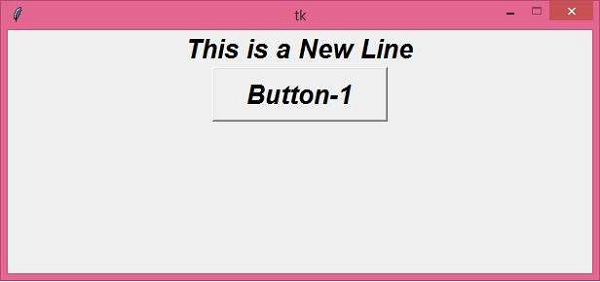
執行以上程式碼將所有使用文字資訊的視窗小元件的預設字型設定為“lucida 20 bold italic”。
現在,返回程式,刪除以下行,然後再次執行。
win.option_add( "*font", "lucida 20 bold italic" )
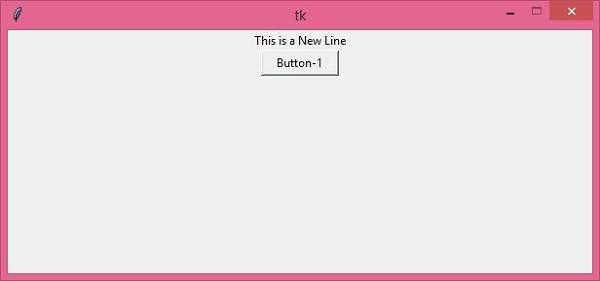
文字現在將顯示為預設字型 −

更新於:2021 年 3 月 26 日
3K+ 次瀏覽

廣告