
 資料結構
資料結構 網路
網路 關係型資料庫管理系統
 作業系統
作業系統 Java
Java MS Excel
 iOS
iOS HTML
HTML CSS
CSS Android
 Python
 C 程式設計
 C++
C++ C#
C# MongoDB
 MySQL
MySQL Javascript
 PHP
PHP 物理
物理 化學
化學 生物
生物 數學
數學 英語
英語 經濟學
經濟學 心理學
心理學 社會研究
社會研究 時尚研究
時尚研究 法律研究
法律研究如何為 Tkinter 中的文字設定字型?
Tkinter 有許多用於在視窗部件中提供不同特性的內建方法和函式。我們可以使用 font(‘font-family’,font-size, ‘style’) 屬性自定義 Tkinter 應用程式中文字視窗部件的字型屬性。元組可以在 Text 構造器中宣告。
示例
Let us have a look at the following example where we will create a text widget with a customized font property.
#Import tkinter library
from tkinter import *
from tkinter import ttk
#Create an instance of tkinter frame or window
win= Tk()
#Set the geometry of tkinter frame
win.geometry("750x250")
#Define a text widget with font-property
text= Text(win, height=15, font=('Times New Roman',17,'bold'))
text.insert(INSERT, "Hey Folks!, Welcome to TutorialsPoint!")
text.pack()
win.mainloop()
輸出
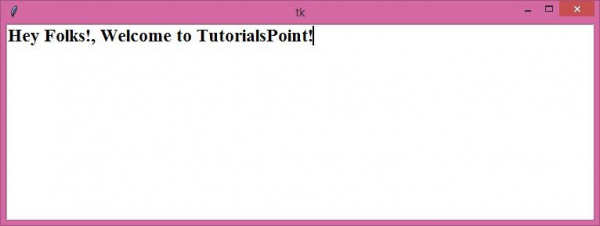
執行上述程式碼將顯示一個包含文字視窗部件的視窗。可以使用 font 屬性自定義寫在文字視窗部件中的文字。

更新於:2021 年 4 月 22 日
已觀看 8000+ 次

廣告