
 資料結構
資料結構 計算機網路
計算機網路 關係型資料庫管理系統
 作業系統
作業系統 Java
Java MS Excel
 iOS
iOS HTML
HTML CSS
CSS Android
 Python
 C 程式設計
 C++
C++ C#
C# MongoDB
 MySQL
MySQL Javascript
 PHP
PHP 物理
物理 化學
化學 生物
生物 數學
數學 英語
英語 經濟學
經濟學 心理學
心理學 社會科學
社會科學 服裝學
服裝學 法學
法學在 JavaScript 中實現點選事件並允許網路瀏覽器返回上一頁?
若要透過單擊按鈕返回上一頁,請使用以下概念 −
window.history.go(-1)
示例
<!DOCTYPE html>
<html lang="en">
<head>
<meta charset="UTF-8">
<meta name="viewport" content="width=device-width, initialscale=1.0">
<title>Document</title>
<link rel="stylesheet" href="//code.jquery.com/ui/1.12.1/themes/base/jquery-ui.css">
<script src="https://code.jquery.com/jquery-1.12.4.js"></script>
<script src="https://code.jquery.com/ui/1.12.1/jquery-ui.js"></script>
<link rel="stylesheet" href="https://cdnjs.cloudflare.com/ajax/libs/fontawesome/4.7.0/css/font-awesome.min.css">
<style>
</style>
</head>
<body>
<input action="gotoPreviousPage" onclick="window.history.go(-1);
return false;" type="submit"
value="Click the button to Goto the Previous Page...." />
<script>
</script>
</body>
</html>
要執行以上程式,請儲存檔名“任意名稱.html(index.html)”並右鍵單擊該檔案。在 VS Code 編輯器中選擇“使用即時伺服器開啟”選項。
輸出
這將產生以下輸出 −
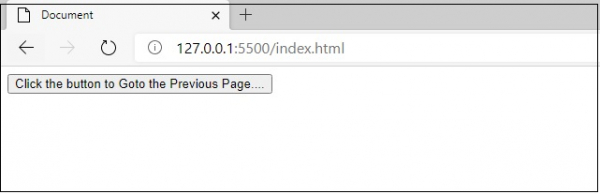
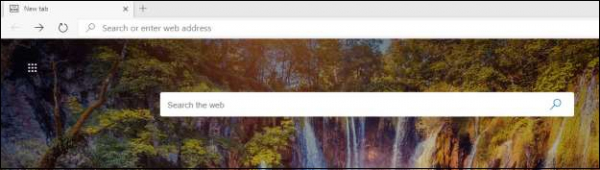
在單擊“單擊按鈕以轉到上一頁...”按鈕後,您將轉到上一頁,如下圖所示 −

更新時間:2020-09-14
343 次瀏覽

廣告