
 資料結構
資料結構 網路
網路 RDBMS
RDBMS 作業系統
作業系統 Java
Java MS Excel
 iOS
iOS HTML
HTML CSS
CSS Android
 Python
 C 程式設計
 C++
C++ C#
C# MongoDB
 MySQL
MySQL Javascript
 PHP
PHP 物理學
物理學 化學
化學 生物學
生物學 數學
數學 英語
英語 經濟學
經濟學 心理學
心理學 社會學
社會學 時尚研究
時尚研究 法律研究
法律研究HTML DOM console.info() 方法
HTML DOM console.info() 方法用於向控制檯寫入資訊訊息。此方法對於除錯和測試目的很有用。某些瀏覽器(例如 Firefox、Chrome)會使用藍色的小 i 圖示顯示使用此方法列印的語句。
語法
以下是 HTML DOM console.info() 方法的語法 −
console.info( message )
在此處,message 是一個必需引數,可以為字串或物件型別。它顯示在控制檯中。
示例
我們來看一個 HTML DOM console.info() 方法的示例 −
<!DOCTYPE html>
<html>
<body>
<h1>console.info() Method</h1>
<p>Press F12 key to view the message in the console view.</p>
<button onclick="printInfo()">INFO</button>
<script>
   function printInfo(){
      console.info("Information is printed");
      console.info("This is some other information ");
   }
</script>
</body>
</html>
輸出
這會產生以下輸出 −
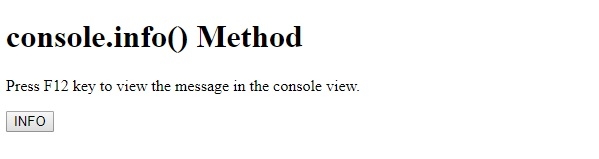
在單擊 INFO 按鈕並檢視控制檯檢視 −

在上例中 −
我們建立了一個 INFO 按鈕,當用戶單擊該按鈕時,將執行 function printInfo() −
<button onclick="printInfo()">INFO</button>
printInfo() 方法內部有 console.info() 方法,該方法將資訊訊息列印到控制檯。如輸出所示,在使用 console.info() 寫入的訊息旁邊有一個 i 圖示 −
function printInfo(){
   console.info("Information is printed");
   console.info("This is some other information ");
}

更新於: 20-Feb-2021
21 瀏覽量

廣告