
 資料結構
資料結構 網路
網路 RDBMS
RDBMS 作業系統
作業系統 Java
Java MS Excel
 iOS
iOS HTML
HTML CSS
CSS Android
 Python
 C 程式設計
 C++
C++ C#
C# MongoDB
 MySQL
MySQL Javascript
 PHP
PHP 物理
物理 化學
化學 生物
生物 數學
數學 英語
英語 經濟學
經濟學 心理學
心理學 社會學
社會學 時尚研究
時尚研究 法學
法學HTML DOM cancelable 事件屬性
HTML DOM cancelable 事件屬性與 HTML 事件相關,因為 JavaScript 可以對這些事件作出響應。cancelable 事件屬性返回一個布林值 (true 或 false),表示該事件是否可以取消。
語法
cancelable 事件屬性採用如下的語法 −
event.cancelable
示例
下面我們來看一下 cancelable 事件屬性的一個示例 −
<!DOCTYPE html>
<html>
<body>
<p>Hover over the button below to find out if onmouseover is cancellable event or not</p>
<button onmouseover="cancelFunction(event)">CLICK IT</button>
<p id="Sample"></p>
<script>
   function cancelFunction(event) {
      var x = event.cancelable;
      if(x==true)
         document.getElementById("Sample").innerHTML = "The onmouseover event is cancellable";
      else
         document.getElementById("Sample").innerHTML = "The onmouseover event is not
      cancellable";

   }
</script>
</body>
</html>
輸出
將生成以下輸出 −
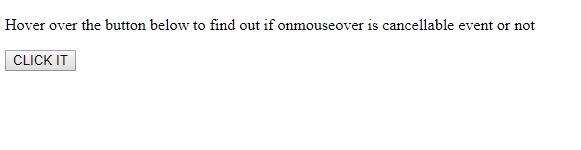
滑鼠懸停在 CLICK IT 按鈕上 −
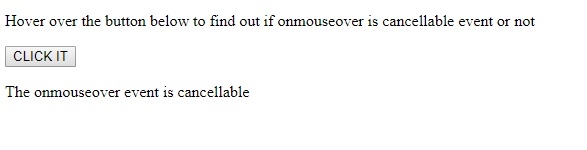
我們首先建立一個按鈕 CLICK IT,當滑鼠懸停在該按鈕上時,將把 ommouseover 事件物件傳遞給 cancelFunction(event) 方法。
<button onmouseover="cancelFunction(event)">CLICK IT</button>
cancelFunction(event) 方法檢查傳入的事件物件的 event.cancelable 值並將其分配給變數 x。使用條件語句,我們檢查 event.cancellable 返回 true 還是 false,然後在 id 等於“Sample”的段落標籤中顯示適當的訊息 −
function cancelFunction(event) {
   var x = event.cancelable;
   if(x==true)
      document.getElementById("Sample").innerHTML = "The onmouseover event is cancellable";
   else
      document.getElementById("Sample").innerHTML = "The onmouseover event is not cancellable";
}

更新於: 2019 年 8 月 7 日
120 次瀏覽

廣告