
 資料結構
資料結構 網路
網路 RDBMS
RDBMS 作業系統
作業系統 Java
Java MS Excel
 iOS
iOS HTML
HTML CSS
CSS Android
 Python
 C 程式設計
 C++
C++ C#
C# MongoDB
 MySQL
MySQL Javascript
 PHP
PHP 物理
物理 化學
化學 生物
生物 數學
數學 英語
英語 經濟
經濟 心理學
心理學 社會學
社會學 時尚學
時尚學 法律學
法律學HTML DOM 錨 type 屬性
與錨標記關聯的 HTML DOM type 屬性用於設定或獲取連結的 type 屬性的值。此屬性是在 HTML 5 中引入的。此屬性也僅用於推薦目的,並且不強制包含。它包含一個 MIME(多用途網際網路郵件擴充套件)值型別。
語法
以下是語法 −
返回 type 屬性 −
anchorObject.type
設定 type 屬性 −
anchorObject.type = MIME-type
示例
讓我們看一個用於錨文字屬性的示例 −
<!DOCTYPE html>
<html>
<body>
<p><a id="Anchor" type="text/html" href="https://www.examplesite.com">example site</a></p>
<p><a id="Anchor2" href="https://www.example.com">example</a></p>
<p>Click the buttons to set and get the type attribute.</p>
<button onclick="getType1()">GetType</button>
<button onclick="setType2()">SetType</button>
<p id="Type1"></p>
<script>
   function getType1() {
      var x = document.getElementById("Anchor").type;
      document.getElementById("Type1").innerHTML = x;
   }
   function setType2(){
      document.getElementById("Type1").innerHTML="Type has been set";
      document.getElementById("Anchor2").type="text/html";
   }
</script>
</body>
</html>
輸出
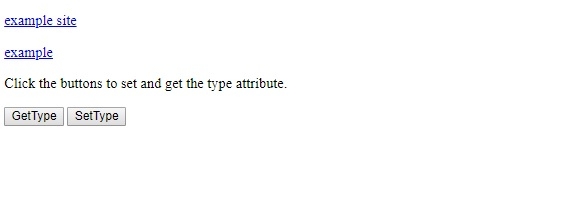
將生成以下輸出 −
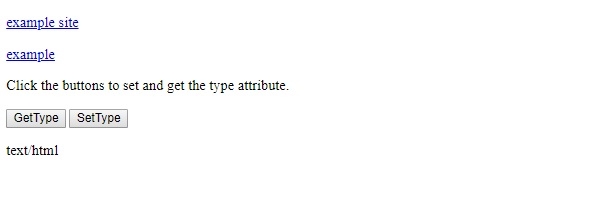
點選 GetType 按鈕 −
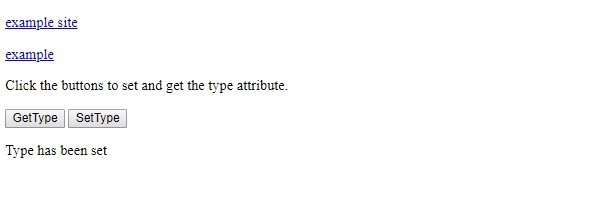
點選 SetType 按鈕 −
在上面的示例中 −
我們分別使用了 ID Anchor 和 Anchor2 引用了兩個連結。Anchor1 具有與之關聯的 MIME 型別 text/html,而 Anchor2 沒有與之關聯的任何 MIME 型別。
<p><a id="Anchor" type="text/html" href="https://www.examplesite.com">example site</a></p>
<p><a id="Anchor2" href="https://www.example.com">example</a></p>
然後,我們有兩個按鈕 GetType 和 SetType,分別執行函式 getType1() 和 getType2() 。
<button onclick="getType1()">GetType</button>
<button onclick="setType2()">SetType</button>
getType1() 函式返回與具有 ID “Anchor” 的錨標記關聯的 type。setType2() 函式將具有 ID “Anchor2” 的錨標記的型別設定為 text/html。
function getType1() {
   var x = document.getElementById("Anchor").type;
   document.getElementById("Type1").innerHTML = x;
}
function setType2(){
   document.getElementById("Type1").innerHTML="Type has been set";
   document.getElementById("Anchor2").type="text/html";
}

更新於:20-Feb-2021
106 次瀏覽

廣告