
 資料結構
資料結構 網路連線
網路連線 RDBMS
RDBMS 作業系統
作業系統 Java
Java MS Excel
 iOS
iOS HTML
HTML CSS
CSS Android
 Python
 C 程式設計
 C++
C++ C#
C# MongoDB
 MySQL
MySQL JavaScript
 PHP
PHP 物理
物理 化學
化學 生物
生物 數學
數學 英語
英語 經濟學
經濟學 心理學
心理學 社會研究
社會研究 時尚研究
時尚研究 法律研究
法律研究HTML DOM 錨搜尋屬性
與錨點標籤 (<a>) 關聯的 HTML DOM search 屬性會返回 href 屬性值中的查詢字串部分。查詢字串部分在 URL 中位於 ? 之後,通常用於將資訊傳遞給伺服器。在向伺服器傳送 get 請求並且資訊以明文形式嵌入連結中時,它會被使用。
語法
以下是
a) 返回 search 屬性的語法
anchorObject.search
b) 設定 search 屬性的語法
anchorObject.search = querystring
示例
讓我們看看 HTML DOM 錨點 search 屬性的一個示例 −
<!DOCTYPE html>
<html>
<body>
<p><a id="myAnchor" target="_blank"
href="http://www.examplesite.com/ex.htm?id=Username">Example Site</a></p>
<p>Click the button to change the querystring part of the above website</p>
<p>Inspect the url before clicking the button to inspect the changes</p>
<button onclick="demo()">Change Search</button>
<script>
   function demo() {
      document.getElementById("myAnchor").search = "program=Sample";
   }
</script>
</body>
</html>
輸出
這將產生以下輸出 −
在選中“顯示錶單 ID”複選框之前 −
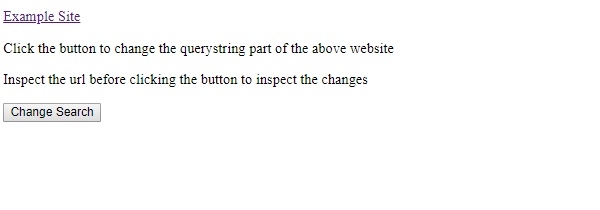
在未點選“更改搜尋”按鈕的情況下,連結如下 −
www.examplesite.com/ex.htm?id=Username
在點選“更改搜尋”按鈕之後,連結將如下 −
www.examplesite.com/ex.htm?prog=Sample
在上面的示例中 −
我們使用 search 屬性的一個錨點標籤來操作 search 屬性值以設定或返回搜尋字串值。
<p><a id="myAnchor" target="_blank"
href="http://www.examplesite.com/ex.htm?id=Username">Example Site</a></p>
然後,我們建立了一個名為“更改搜尋”的按鈕來執行 myFunction() −
<button onclick="demo()">Change Search</button>
myFunction() 會將搜尋字串部分從 id=”Username” 更改為 program=Sample
function demo() {
   document.getElementById("myAnchor").search = "program=Sample";
}

更新日期:2020 年 7 月 2 日
89 次瀏覽

廣告