
 資料結構
資料結構 網路
網路 RDBMS
RDBMS 作業系統
作業系統 Java
Java MS Excel
 iOS
iOS HTML
HTML CSS
CSS Android
 Python
 C 程式設計
 C++
C++ C#
C# MongoDB
 MySQL
MySQL Javascript
 PHP
PHP 物理
物理 化學
化學 生物
生物 數學
數學 英語
英語 經濟學
經濟學 心理學
心理學 社會研究
社會研究 時尚研究
時尚研究 法律研究
法律研究如何在 Tkinter 文字中進行文字自動換行?
文字自動換行在任何文字資訊中都扮演著重要角色。它對於任何文字編輯器來說都是一個重要的功能,該功能可以將特定文字的部分拆分為多部分行,儘可能實現自動換行。它用於將內容調整到文字文件的寬度。在 Tkinter 中,我們可以使用 wrap 屬性自動換行文字小元件中的單詞或字元。wrap 屬性的預設值為 – WORD、CHARS 或 NONE。
示例
在這個示例中,我們將使用 wrap 屬性自動換行文字小元件的所有單詞。
#Import tkinter library
from tkinter import *
from tkinter import ttk
#Create an instance of Tkinter frame or window
win= Tk()
#Set the geometry of tkinter frame
win.geometry("750x250")
#Create a text widget and wrap by words
text= Text(win,wrap=WORD)
text.insert(INSERT,"Python is an interpreted, high-level and general-purpose programming language. Python's design philosophy emphasizes code readability with its notable use of significant indentation.")
text.pack()
win.mainloop()
輸出
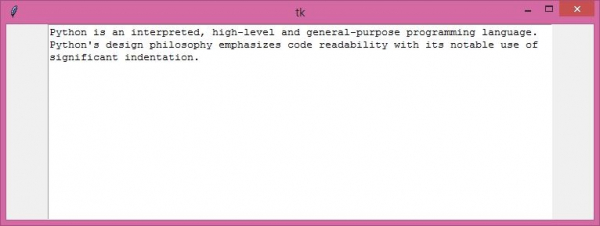
執行上面的程式碼將顯示一個包含文字的視窗。文字會自動按單詞進行換行,這有助於使用者輕鬆閱讀文件或文字檔案。

更新於: 22-Apr-2021
8K+ 瀏覽

廣告