
 資料結構
資料結構 網路
網路 RDBMS
RDBMS 作業系統
作業系統 Java
Java MS Excel
 iOS
iOS HTML
HTML CSS
CSS Android
 Python
 C 程式設計
 C++
C++ C#
C# MongoDB
 MySQL
MySQL Javascript
 PHP
PHP 物理
物理 化學
化學 生物
生物 數學
數學 英語
英語 經濟學
經濟學 心理學
心理學 社會研究
社會研究 時尚研究
時尚研究 法學研究
法學研究如何在Selenium webdriver中等待iFrames完全載入?
我們可以使用Selenium webdriver等待iframe完全載入,首先我們需藉助iframe id、名稱、數字或webelement識別iframe。然後,我們將在同步中使用顯式等待概念來等待iframe載入。
我們需要匯入org.openqa.selenium.support.ui.ExpectedConditions 和 匯入org.openqa.selenium.support.ui.WebDriverWait 來合併預期條件和WebDriverWait類。我們將用條件frameToBeAvailableAndSwitchToIt等待iframe載入。
讓我們看看一個框架的html文件。

示例
import org.openqa.selenium.By;
import org.openqa.selenium.WebDriver;
import org.openqa.selenium.WebElement;
import org.openqa.selenium.chrome.ChromeDriver;
import java.util.concurrent.TimeUnit;
import org.openqa.selenium.support.ui.WebDriverWait;
import org.openqa.selenium.support.ui.ExpectedConditions;

public class FrameLoadWait{
   public static void main(String[] args) {
System.setProperty("webdriver.chrome.driver","C:\Users\ghs6kor\Desktop\Java\chromedriver.exe");
      WebDriver driver = new ChromeDriver();
      driver.manage().timeouts().implicitlyWait(8, TimeUnit.SECONDS);
      driver.get("https://the-internet.herokuapp.com/nested_frames");
      // frame load explicit condition
      WebDriverWait w = new WebDriverWait(driver, 5);
      w.until(ExpectedConditions.frameToBeAvailableAndSwitchToIt("frame-bottom"));
      // identify element inside frame
      WebElement p=driver.findElement(By.cssSelector("body"));
      System.out.println("Text inside frame is: " + p.getText());
      driver.close();
   }
}
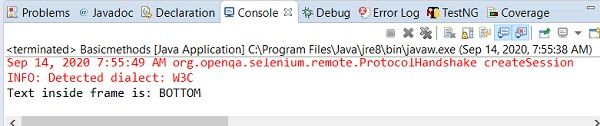
輸出

更新日期: 18-Sep-2020
4K+ 檢視次數

廣告