
 資料結構
資料結構 網路
網路 RDBMS
RDBMS 作業系統
作業系統 Java
Java MS Excel
 iOS
iOS HTML
HTML CSS
CSS Android
 Python
 C 程式設計
 C++
C++ C#
C# MongoDB
 MySQL
MySQL Javascript
 PHP
PHP 物理學
物理學 化學
化學 生物學
生物學 數學
數學 英語
英語 經濟學
經濟學 心理學
心理學 社會學
社會學 時尚學
時尚學 法學
法學如何在 iOS/iPhone 中單個 UILabel 中使用粗體和非粗體文字?
要在單個 UILabel 中使用粗體和普通文字,我們可以使用情節提要編輯器來實現,也可以透過程式設計方式來實現。我們來看看這兩種方法。
方法一 − 使用情節提要進行編輯
選擇要編輯的標籤,轉到屬性檢查器。
從第一個選項文字中,選擇屬性而不是純文字。
在標籤中輸入以下文字“粗體 普通”
雙擊粗體文字以選擇它,然後右鍵單擊它以檢視更多選項。
從該選項中選擇字型 > 粗體。它應該可以完成任務。
方法二 − 透過程式設計實現結果。
在檢視控制器檢視中新增以下程式碼以載入方法。
override func viewDidLoad() {
   super.viewDidLoad()
   let boldAttribute = [
      NSAttributedString.Key.font: UIFont(name: "HelveticaNeue-Bold", size: 18.0)!
   ]
   let regularAttribute = [
      NSAttributedString.Key.font: UIFont(name: "HelveticaNeue-Light", size: 18.0)!
   ]
   let boldText = NSAttributedString(string: "Bold", attributes: boldAttribute)
   let regularText = NSAttributedString(string: " regular", attributes: regularAttribute)
   let newString = NSMutableAttributedString()
   newString.append(boldText)
   newString.append(regularText)
   lbl.attributedText = newString
}
此程式碼可以根據要求轉換為函式或擴充套件。當我們使用上述任何一種方法執行時,結果與以下所示相同。
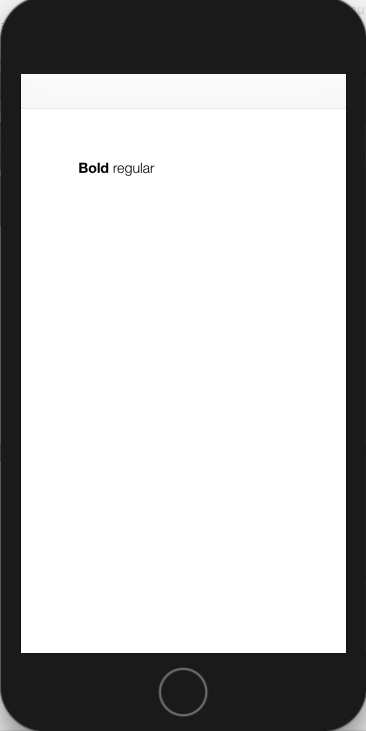

更新日期: 2020-06-29
4K+ 瀏覽次數

廣告