
 資料結構
資料結構 網路
網路 關係型資料庫管理系統
 作業系統
作業系統 Java
Java MS Excel
 iOS
iOS HTML
HTML CSS
CSS Android
 Python
 C 程式設計
 C++
C++ C#
C# MongoDB
 MySQL
MySQL Javascript
 PHP
PHP 物理
物理 化學
化學 生物
生物 數學
數學 英語
英語 經濟學
經濟學 心理學
心理學 社會學
社會學 時尚研究
時尚研究 法律研究
法律研究如何在 PowerShell 中使用 Azure REST API?
要使用 PowerShell 使用 Azure REST API,我們首先需要使用 **Connect-AzAccount** 連線到 Azure 雲帳戶。連線到 Azure 帳戶後,您可以使用以下授權標頭(與 MS 網站上提供的一樣),其中包含一個用於對 REST API 進行身份驗證的承載令牌。
$azContext = Get-AzContext
$azProfile = [Microsoft.Azure.Commands.Common.Authentication.Abstractions.AzureRm
ProfileProvider]::Instance.Profile
$profileClient = New-Object -
TypeName Microsoft.Azure.Commands.ResourceManager.Common.RMProfileClient -
ArgumentList ($azProfile)
$token = $profileClient.AcquireAccessToken($azContext.Subscription.TenantId)
$authHeader = @{
   'Content-Type'='application/json'
   'Authorization'='Bearer ' + $token.AccessToken
}
獲得授權標頭後,您可以將其用於身份驗證。現在假設我們需要使用 REST API 列出 Azure 訂閱中的所有虛擬機器。
https://docs.microsoft.com/en-us/rest/api/compute/virtual-machines/list-all/
我們將使用以下 REST API URL 獲取所有虛擬機器。
https://management.azure.com/subscriptions/{subscriptionId}/providers/Microsoft.Compute /virtualMachines?api-version=2021-03-01
在這裡,我們需要提供一個訂閱 ID,從中我們需要列出虛擬機器。
我們的命令如下所示:
$restUri = https://management.azure.com/subscriptions/xxxxx-xxxxx-x--xxxxx/providers/Microsoft.Compute/virtualMachines?api-version=2021-03-01
$response = Invoke-RestMethod -Uri $restUri -Method Get -Headers $authHeader
輸出
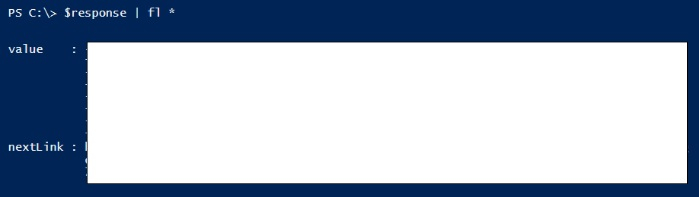
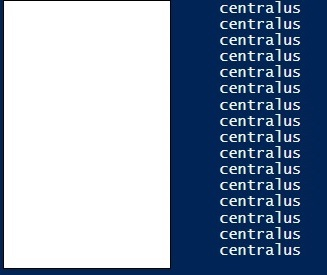
您可以進一步擴充套件屬性。
PS C:\> $response.value | Select Name, location
輸出

更新於:2021年9月1日
5K+ 次瀏覽

廣告