
 資料結構
資料結構 網路
網路 關係型資料庫管理系統
 作業系統
作業系統 Java
Java MS Excel
 iOS
iOS HTML
HTML CSS
CSS Android
 Python
 C 程式設計
 C++
C++ C#
C# MongoDB
 MySQL
MySQL Javascript
 PHP
PHP 物理學
物理學 化學
化學 生物學
生物學 數學
數學 英語
英語 經濟學
經濟學 心理學
心理學 社會學
社會學 時尚研究
時尚研究 法律研究
法律研究如何使用 JavaScript Ping 伺服器?
伺服器 Ping 可以定義為訪問伺服器並從該伺服器獲取響應。其目的是傳送一個回顯訊息,以保持健康檢查並檢查伺服器是否啟動並執行。在傳送 **PING** 時,每個伺服器都會發送一個 **PONG**,表明伺服器處於活動狀態。Ping 訊息由 **ICMP**(網際網路控制訊息協議)傳送。Ping 時間越短,主機與伺服器之間的連線越強。
方法
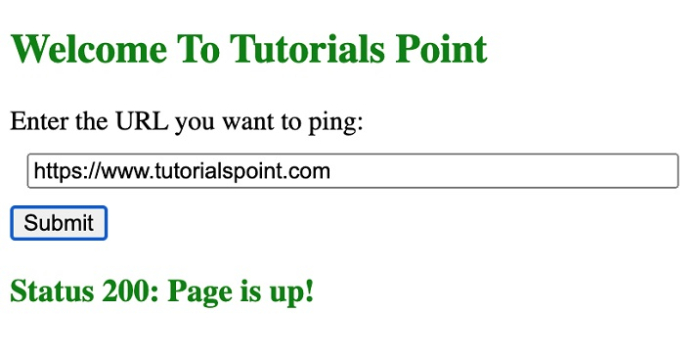
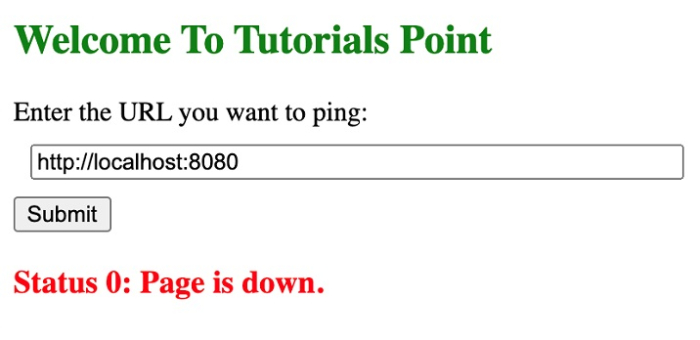
我們可以使用 **JavaScript** 函式向伺服器傳送 Ping 訊息。在本教程中,我們將使用 **AJAX** 功能傳送 Ping,並在收到 Pong 後顯示響應。我們還將檢查收到的狀態程式碼以確定伺服器是否處於活動狀態。如果收到除 200 之外的任何狀態,則表示伺服器未處於活動狀態或工作不正常。
示例
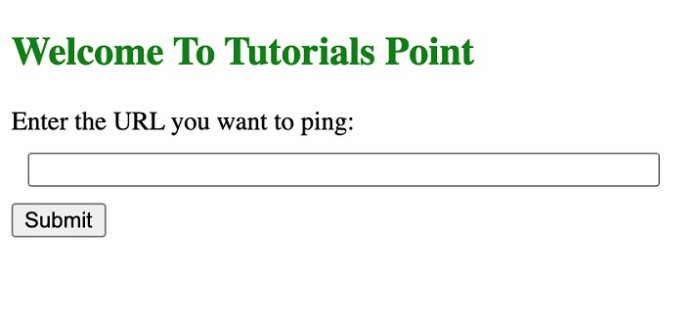
在下面的示例中,我們建立了一個簡單的 HTML 頁面,該頁面將 ping 特定的路徑並返回其響應。
# index.html
<!DOCTYPE html>
<html>
<head>
   <title>
      Pinging the Server
   </title>
   <script type="text/javascript" src="https://code.jquery.com/jquery-1.7.1.min.js"></script>
   <style type="text/css">
      .responded {
         color:green;
      }
      .checking,.unchecked {
         color:#FF8C00;
      }
      .timeout {
         color:red;
      }
   </style>
</head>
<body>
   <h2 style="color:green">
      Welcome To Tutorials Point
   </h2>
   <label for="url">
      Enter the URL you want to ping:
   </label><br>
   <input type="text" id="url"name="url" style="margin: 10px; width: 50%;"><br>
   <input type="submit" value="Submit"onclick="pingURL()">
   <div id="outputDiv"></div>
</body>
   <script>
      function pingURL() {
         // Getting the URL from the User
         var URL = $("#url").val();
         var settings = {
            // Defining the request configuration
            cache: false,
            dataType: "jsonp",
            crossDomain: true,
            url: URL,
            method: "GET",
            timeout: 5000,
            headers: {accept: "application/json", "Access-Control-Allow-Origin": "*",},

            // Defines the response to be made
            // for certain status codes
            statusCode: {
               200: function (response) {
                  document.getElementById("outputDiv").innerHTML="<h3 style='color:green'>Status 200: Page is up!";
               },
               400: function (response) {
                  document.getElementById("outputDiv").innerHTML="<h3 style='color:red'>Status 400: Page is down.</h3>";
               },
               0: function (response) {
                  document.getElementById("outputDiv").innerHTML="<h3 style='color:red'>Status 0: Page is down.</h3>";
               },
            },
         };
         // Sends the request and observes the response
         $.ajax(settings).done(function (response) {
            console.log(response);
         })
         .fail(function (response) {
            console.log("Error" + response);
         });
      }
   </script>
</html>
輸出

更新於:2022-04-27
7K+ 瀏覽量

廣告